A Practical 2026 Buyer’s Guide: The 5 Best Filament for Bambu P1S Types


Abstract
The Bambu Lab P1S, with its high-speed capabilities and enclosed build volume, presents a unique set of material demands that diverge from conventional desktop 3D printers. This analysis examines the optimal filament choices for this machine, moving beyond a universal “best” to a situational framework based on application-specific needs. An investigation into the mechanical and thermal properties of Polylactic Acid (PLA), Polyethylene Terephthalate Glycol (PETG), Acrylonitrile Butadiene Styrene (ABS), and advanced composites like Carbon Fiber-reinforced PETG (PET-CF) reveals a spectrum of performance. The inherent characteristics of the P1S—namely its rapid acceleration, vibration compensation, and controlled thermal environment—significantly influence filament performance. PLA serves as a reliable baseline for aesthetic prints, while PETG offers a balance of strength and usability. ABS and ASA leverage the enclosure for superior layer adhesion and thermal stability in engineering applications. For peak mechanical performance, fiber-reinforced composites are evaluated, considering the requisite hardware upgrades like hardened nozzles. This guide provides a nuanced understanding of how to pair material science with machine capabilities to achieve consistent, high-quality outcomes.
Key Takeaways
- Start with high-quality PLA for its ease of use and excellent detail on the P1S.
- Choose PETG for functional parts needing better strength and temperature resistance.
- Utilize the P1S enclosure to print ABS or ASA for durable, heat-resistant components.
- For maximum stiffness and strength, upgrade to a hardened nozzle for composite filaments.
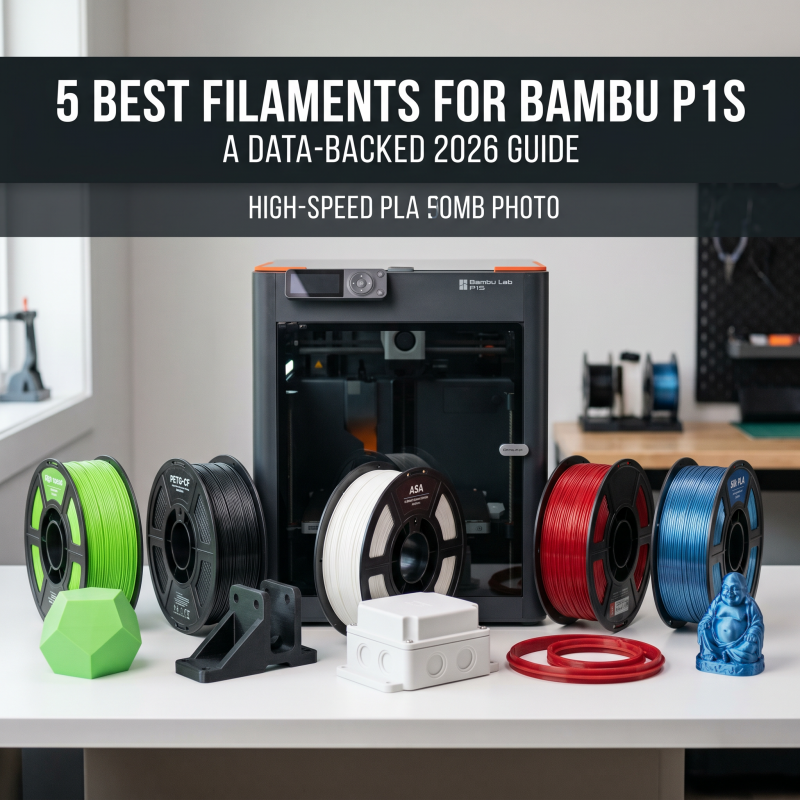
- Finding the best filament for Bambu P1S depends entirely on your project’s specific needs.
- Always dry hygroscopic filaments like PETG, Nylon, and TPU before printing.
- Tune your slicer settings for each new filament roll to achieve optimal results.
Table of Contents
- Understanding the Language of Filaments
- How the Bambu P1S Changes the Filament Conversation
- 1. PLA: The High-Speed Workhorse
- 2. PETG: The Functional All-Rounder
- 3. ABS & ASA: The Engineering Mainstays
- 4. Carbon Fiber Composites: The High-Performance Upgrade
- 5. TPU: The Flexible Specialist
- A Note on Brands and Spool Compatibility
- Frequently Asked Questions (FAQ)
- Conclusion
- References
Understanding the Language of Filaments
Before we can have a meaningful discussion about what material to feed your Bambu P1S, we must first establish a shared vocabulary. Think of this as learning the fundamental grammar of material science. When we talk about a filament being “strong” or “good,” what do we truly mean? The properties of these plastics are not monolithic; they are a complex interplay of characteristics, and choosing a material always involves a series of trade-offs. Your role as the engineer, designer, or maker is to decide which of these properties are most valuable for the object you intend to create.
Let’s break down the four pillars of filament performance.
The Core Properties of 3D Printing Materials
First, we have tensile strength. Imagine you are pulling on a rope from both ends. Its tensile strength is a measure of how much force that rope can withstand before it snaps. In 3D printing, this translates to parts that can resist being pulled apart. A part with high tensile strength is strong in a very specific way—it is resistant to tension.
Second is impact resistance, which is a measure of toughness. A material can have high tensile strength but be very brittle, like glass. If you drop it, it shatters. A material with high impact resistance, like rubber, can absorb a sudden shock or blow without fracturing. For a printed part that might be dropped, bumped, or subjected to sudden loads, impact resistance is a far more important metric than tensile strength alone.
Third, we must consider thermal resistance, or heat deflection temperature (HDT). This is the temperature at which a material begins to soften and deform under a load. A PLA print left in a hot car on a summer day will famously demonstrate poor thermal resistance by warping into an unrecognizable shape. For parts intended for use in mechanical assemblies, outdoors, or any environment with elevated temperatures, a high HDT is non-negotiable.
Finally, there is the practical matter of printability. This is a less scientific, more experiential quality that encompasses how easily a material prints without issues like warping, stringing, or clogging. A filament might possess god-tier mechanical properties, but if it requires a week of constant tinkering and failed prints to get one successful part, its practical utility is severely diminished.
To put these concepts into a clearer context, consider the following comparison of common filament families.
Filament Properties at a Glance
| Material Family | Tensile Strength | Impact Resistance | Thermal Resistance | Printability |
|---|---|---|---|---|
| PLA (Polylactic Acid) | High | Low | Low | Very High |
| PETG (Polyethylene Terephthalate Glycol) | Moderate | High | Moderate | High |
| ABS (Acrylonitrile Butadiene Styrene) | Moderate | High | High | Moderate |
| TPU (Thermoplastic Polyurethane) | Low | Very High | Low | Moderate |
| PET-CF (Carbon Fiber PETG) | Very High | Moderate | High | Moderate |
This table illuminates the trade-offs we must navigate. PLA is exceptionally easy to print but lacks toughness and heat resistance (Sigmafilaments, 2026). ABS offers great heat resistance but can be challenging to print without warping. The choice between them is not about which is “better” but which set of compromises is acceptable for the intended application.
How the Bambu P1S Changes the Filament Conversation
The Bambu Lab P1S is not just another 3D printer. It represents a paradigm shift in speed and accessibility that forces us to re-evaluate our relationship with the materials we use. Features that were once the exclusive domain of high-end industrial machines are now available on the desktop, and these features directly impact how filaments behave.
The Enclosure: Taming War-Prone Materials
The most visually obvious feature of the P1S is its full enclosure. An enclosure’s primary function is to create a passively heated, stable thermal environment around the print. For materials with high thermal shrinkage, like ABS and ASA, this is a game-changer. As these plastics cool, they contract. If they cool too quickly or unevenly—as they would on an open-air printer—internal stresses build up, causing the print’s corners to lift off the build plate in a frustrating phenomenon known as warping. The P1S’s enclosure keeps the ambient air warm, allowing the part to cool slowly and uniformly, dramatically reducing these stresses and enabling successful prints with these powerful engineering materials.
High-Speed CoreXY: A Test of Material Quality
The heart of any Bambu printer is its CoreXY motion system, capable of breathtaking speeds and accelerations up to 20,000 mm/s². At these velocities, the filament itself becomes a potential point of failure. The extruder’s gears are gripping and pushing the plastic through the hotend at an incredible rate. A low-quality filament with inconsistent diameter can cause the extruder to slip, leading to under-extrusion. A filament that is too brittle might snap under the strain. A “wet” filament, saturated with moisture from the air, will turn that moisture into steam in the hotend, causing pops, voids, and a terrible surface finish. Printing at speed magnifies every small inconsistency in a filament, making material quality paramount.
The AMS and Spool Woes
The optional Automatic Material System (AMS) is a brilliant piece of engineering that allows for seamless multi-color or multi-material printing. However, it was designed with a specific spool geometry in mind. This has led to a well-documented incompatibility with cardboard spools, which are becoming increasingly popular for environmental reasons. The smooth cardboard surface can cause slippage against the AMS rollers, leading to loading and unloading errors. While the community has developed printable adapters to mitigate this, it is a practical consideration when purchasing filament. Furthermore, the tight bends the filament must navigate within the AMS can be problematic for very brittle or very flexible materials.
1. PLA: The High-Speed Workhorse
Polylactic Acid, or PLA, is the undisputed starting point for most journeys into 3D printing, and for good reason. It is derived from renewable resources like corn starch, making it a more environmentally friendly option compared to petroleum-based plastics. For a P1S owner, PLA is the filament you will likely use to get acquainted with your machine’s incredible speed.
What Makes PLA Special?
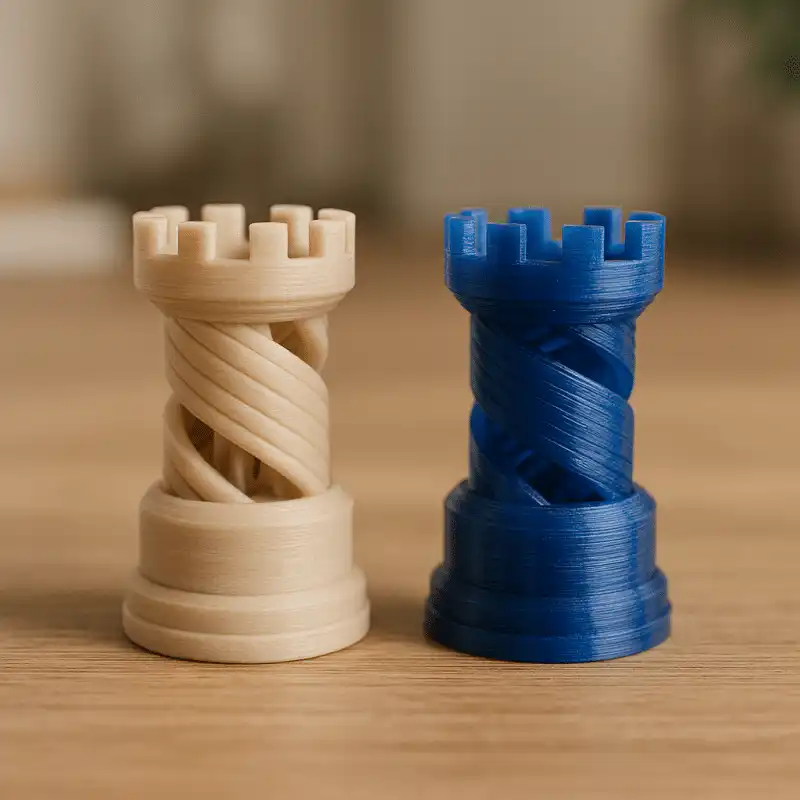
Chemically, PLA is a polyester. Its defining characteristic in the context of 3D printing is its low thermal shrinkage. It crystallizes at a relatively low temperature and does not contract significantly as it cools. This is why it is so forgiving to print; it has very little tendency to warp, allowing it to be printed on an open-air machine with an unheated bed (though a heated bed around 55-60°C is still recommended for perfect first layers). This low shrinkage also contributes to its ability to reproduce exceptionally fine details and sharp corners, making it the king of aesthetic and visual prototypes (Sigmafilaments, 2026).
Why it Excels on the P1S
The Bambu P1S and PLA are a match made in heaven. The printer’s powerful part cooling fan can instantly solidify the molten PLA as it is extruded, even at high speeds. This allows for the creation of steep overhangs and complex geometries that would be a soupy mess on a lesser machine. The printer’s input shaping and pressure advance algorithms work wonders with PLA, virtually eliminating the ringing and corner bulging that often plague high-speed prints. With a well-tuned profile for a quality PLA, the P1S can produce models with a surface finish that rivals injection molding, and it can do so in a fraction of the time of its predecessors.
Recommended P1S Settings & Best Practices
For most standard PLA filaments, the default “Bambu PLA Basic” profile in Bambu Studio is an excellent starting point.
- Nozzle Temperature: 220°C
- Bed Temperature: 55°C (Textured PEI Plate) or 65°C (Cool Plate/Engineering Plate with glue)
- Cooling: 100% fan speed, often with the top glass or door of the enclosure open to prevent heat creep and ensure maximum part cooling.
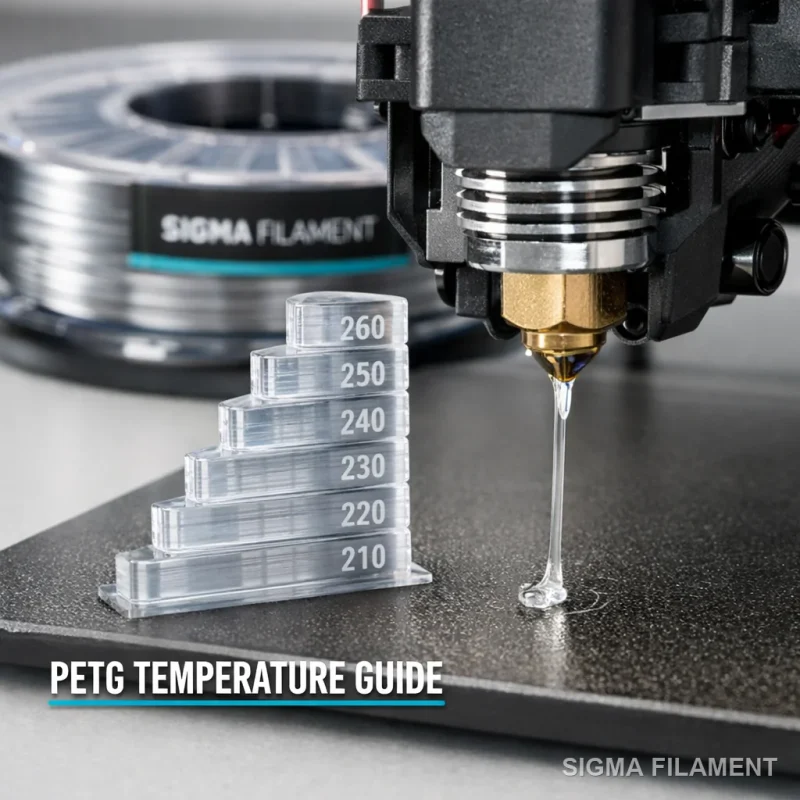
The biggest variable you will encounter is the brand of PLA itself. Some “PLA+” or “Tough PLA” variants may require slightly higher temperatures for optimal layer adhesion. I always recommend printing a temperature tower for any new roll of filament to dial in the perfect setting. For achieving maximum speed, consider a high-speed PLA filament specifically formulated to have a higher flow rate.
Ideal Applications
PLA is the go-to material for anything where aesthetic quality and dimensional accuracy are the primary concerns.
- Visual prototypes and concept models
- Tabletop gaming miniatures and terrain
- Cosplay props and armor (that won’t be left in a hot car)
- Household organizers, decorative items, and jigs that are not under high stress or temperature.
Potential Pitfalls and How to Avoid Them
The main weakness of PLA is its low thermal and impact resistance. A part printed in PLA will begin to deform at temperatures as low as 60°C (140°F). It is also quite brittle. A PLA part under stress is more likely to snap suddenly than to bend. So, avoid using standard PLA for functional parts that need to be tough, flexible, or heat resistant.
2. PETG: The Functional All-Rounder
If PLA is the sprinter, focused on speed and beauty, then Polyethylene Terephthalate Glycol, or PETG, is the decathlete. It may not be the absolute best in any single category, but its remarkable balance of properties makes it one of the most versatile and useful filaments available. It is the logical next step up from PLA when you need your prints to do real work.
What Makes PETG Special?
PETG is a modification of PET, the same plastic used to make water bottles. The “G” stands for glycol, which is added during polymerization to prevent the material from crystallizing and becoming hazy and brittle, as PET would. This leaves PETG with an amorphous chemical structure, which is the secret to its toughness (Sigmafilaments, 2026). Unlike the brittle failure of PLA, PETG tends to yield and deform under stress, giving it superior impact resistance. It also boasts better thermal resistance than PLA, typically withstanding temperatures up to 80°C, and offers good chemical resistance to acids, bases, and solvents.
Why it Excels on the P1S
The P1S’s stable platform and direct-drive extruder are well-suited to handling PETG. While PETG is not as prone to warping as ABS, it does benefit from the stable, draft-free environment of the P1S enclosure, which helps ensure flawless layer adhesion on large prints. The printer’s precise retraction control, a hallmark of its direct-drive system, is a major asset in combating PETG’s most notorious issue: stringing. With a properly tuned profile, the P1S can produce clean PETG prints that would be a webby mess on a Bowden-style printer.
Recommended P1S Settings & Best Practices
PETG has one major Achilles’ heel: it is hygroscopic, meaning it readily absorbs moisture from the ambient air. Wet PETG is a nightmare to print, resulting in stringing, popping sounds from the nozzle, and weak, foamy parts.
- Drying is Mandatory: Before you even think about printing with PETG, you must dry it. A dedicated filament dryer is the best tool for the job, but an oven on its lowest setting (around 65°C) can also work. Dry it for 4-6 hours.
- Nozzle Temperature: 240-260°C
- Bed Temperature: 70-80°C (Textured PEI Plate works fantastically)
- Cooling: Reduce part cooling fan speed to 30-50%. Too much cooling can weaken PETG’s layer adhesion.
- Speed: While the P1S can print PETG quickly, you will often get better results, particularly better layer adhesion, by slowing down the outer walls to around 50-100 mm/s.
Ideal Applications
PETG’s blend of toughness, moderate heat resistance, and potential for food-safe applications (check manufacturer specifications) makes it incredibly useful.
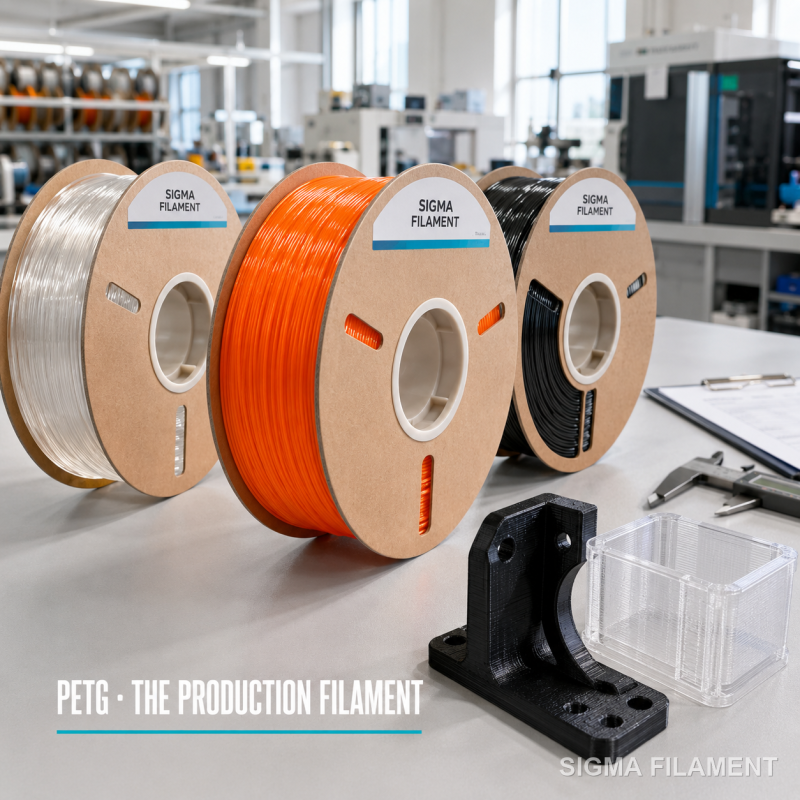
- Functional mechanical parts: brackets, mounts, enclosures for electronics.
- Parts that require some flex or impact resistance, like snap-fit components.
- Items that may be exposed to water or chemicals.
- Printer upgrades and parts for the printer itself.
Potential Pitfalls and How to Avoid Them
Stringing and oozing are the classic PETG problems. The solutions are threefold: dry your filament thoroughly, calibrate your retraction settings (a retraction distance of around 0.8mm and a speed of 30-40mm/s is a good starting point for the P1S), and ensure your nozzle temperature is not excessively high. PETG can also stick too well to some build surfaces. Using the Textured PEI plate is highly recommended as it provides excellent adhesion during printing and parts pop right off once it cools.
3. ABS & ASA: The Engineering Mainstays
For decades, before 3D printing became a household hobby, Acrylonitrile Butadiene Styrene (ABS) was the workhorse of industrial prototyping and manufacturing. It is the same rugged plastic used to make LEGO bricks, car interiors, and computer keyboard caps. ASA (Acrylonitrile Styrene Acrylate) is its close cousin, developed to have similar mechanical properties but with superior resistance to UV radiation and weathering. For the P1S owner, these materials unlock the ability to print truly durable, high-temperature functional parts.
What Makes ABS & ASA Special?
The strength of ABS comes from its composite nature. The Polybutadiene rubber particles suspended in a Styrene-Acrylonitrile copolymer matrix provide a toughness and impact resistance that surpasses both PLA and PETG. Its key advantage is its high thermal resistance, with an HDT of around 100°C, allowing it to function in hot environments like a car’s dashboard or a machine’s engine bay without deforming (Sigmafilaments, 2026). ASA shares these properties but modifies the rubber component to be acrylic-based, which does not degrade when exposed to sunlight, making it the ideal choice for outdoor applications.
Another unique property of these materials is their solubility in acetone. This allows for a post-processing technique called vapor smoothing, where parts are exposed to acetone fumes. The acetone melts the very outer surface of the print, smoothing out layer lines to create a glossy, injection-molded appearance and also improving the part’s strength by fusing the layers together more completely.
Why They Excel on the P1S
Printing ABS or ASA on an open-air printer is an exercise in frustration. Their high rate of thermal contraction makes them extremely prone to warping and layer splitting. The Bambu P1S’s enclosure is not just a nice-to-have for these materials; it is a fundamental requirement. By keeping the ambient temperature elevated (ideally around 40-50°C), the enclosure allows the part to cool down in a controlled manner, relieving the internal stresses that cause print failures.
Additionally, ABS and ASA release volatile organic compounds (VOCs) and unpleasant odors when printed. The P1S comes equipped with an activated carbon filter to help mitigate these fumes, making the process more suitable for a home or office environment, though printing in a well-ventilated area is always the best practice.
Recommended P1S Settings & Best Practices
- Let the Chamber Heat Up: Before starting a print, it is good practice to heat the bed to its target temperature for 15-30 minutes to allow the enclosure to passively heat up.
- Nozzle Temperature: 250-270°C
- Bed Temperature: 90-110°C (The Textured PEI Plate is excellent, no glue needed)
- Cooling: Minimal to no part cooling. For the P1S, this usually means setting the part cooling fan to 10-20% at most, and only after the first few layers are complete. You want the layers to stay molten long enough to fuse perfectly with the layer below.
- Ventilation: Use the included carbon filter and ensure the room has good air circulation.
Ideal Applications
When toughness and high-temperature performance are required, ABS and ASA are top contenders.
- Automotive parts: interior trim, brackets, custom vents.
- Functional parts for machinery that may get hot.
- Enclosures for electronics that generate heat.
- Any parts intended for long-term outdoor use (ASA is preferred).
- Parts that will be vapor smoothed for aesthetic or functional reasons.
Potential Pitfalls and How to Avoid Them
Warping and layer separation are the primary enemies. The key is to maintain a hot, stable environment. Keep the enclosure door and top closed throughout the print. Using a wide brim in your slicer settings can also help anchor the corners of your part to the build plate. The fumes are a real consideration; be mindful of your workspace’s ventilation.
4. Carbon Fiber Composites: The High-Performance Upgrade
When you need to push the boundaries of what is possible with desktop 3D printing, you enter the world of composites. By blending chopped carbon fibers into a base polymer like PETG or Nylon (Polyamide), we create a new material that is greater than the sum of its parts. Carbon Fiber PETG (PET-CF) and Carbon Fiber Nylon (PA-CF) are some of the most accessible and potent of these materials for the P1S.
What Makes Carbon Fiber Composites Special?
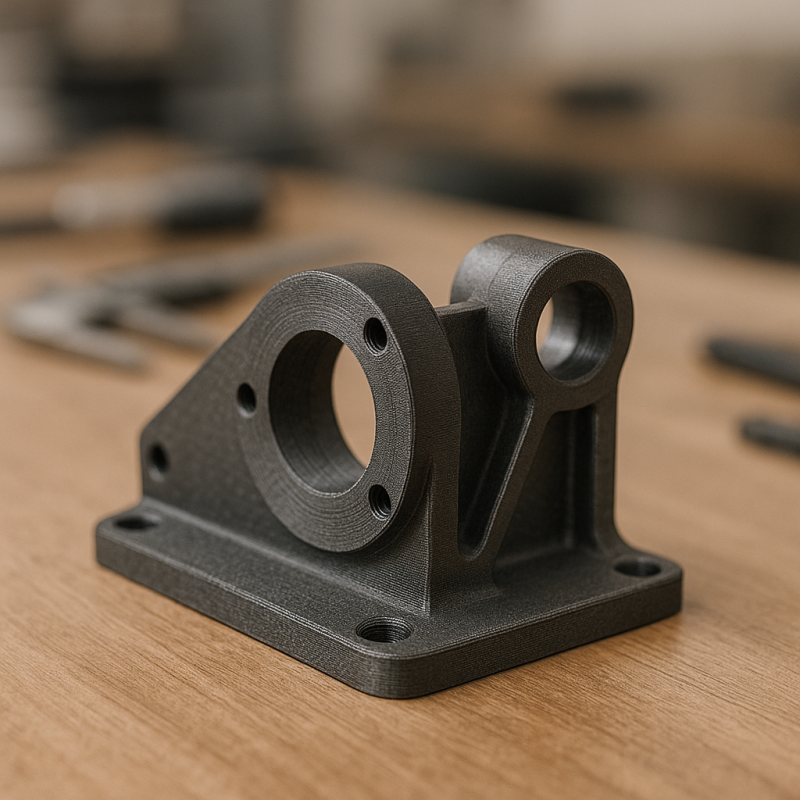
The carbon fibers act as a reinforcement, much like rebar in concrete. They dramatically increase the stiffness (flexural modulus) and tensile strength of the base polymer, while also improving dimensional stability and thermal resistance (Sigmafilaments, 2026). A part printed in PET-CF will be significantly more rigid and less prone to creep under load than the same part printed in standard PETG. The fibers also give the parts a beautiful matte black surface finish that does an incredible job of hiding layer lines, resulting in parts that look professionally manufactured right off the printer.
Why They Excel on the P1S
Printing with carbon fiber filaments introduces a new challenge: they are extremely abrasive. A standard brass nozzle will be worn out, its diameter widened, in a matter of hours by these materials, leading to catastrophic print failures. The Bambu P1S, when equipped with a hardened steel nozzle (an easy and inexpensive upgrade), is perfectly prepared to handle these advanced materials. Its robust, all-metal hotend and powerful extruder can reliably process these stiff and demanding filaments. The high-speed capabilities of the P1S, combined with the rigidity of a PET-CF or PA-CF, allow for the rapid production of truly high-performance functional parts, like strong carbon fiber PETG components.
A Comparison of Popular CF Filaments
| Property | Standard PETG | PET-CF | Standard Nylon (PA6) | PA6-CF |
|---|---|---|---|---|
| Stiffness (Rigidity) | Moderate | Very High | Low (Flexible) | Extremely High |
| Tensile Strength | Moderate | High | High | Very High |
| Heat Resistance | ~80°C | ~95°C | ~90°C | ~150°C |
| Print Difficulty | Easy | Moderate | Hard | Hard |
| Abrasiveness | Low | Very High | Low | Very High |
Recommended P1S Settings & Best Practices
- Hardened Nozzle is Mandatory: Do not attempt to print these materials with a brass nozzle. You will destroy it. Install a hardened steel or other wear-resistant nozzle. A 0.6mm nozzle is often recommended over a 0.4mm to reduce the chance of clogs from the fibers.
- Drying is Critical: Both PETG and especially Nylon are very hygroscopic. Composites are even more sensitive to moisture. Dry them thoroughly according to the manufacturer’s recommendations immediately before printing.
- Nozzle Temperature: Generally higher than the base polymer. PET-CF often prints around 260-280°C.
- Bed Temperature: 80-100°C.
- Keep it Dry: Use the AMS with fresh desiccant or another dry box solution to protect the filament during long prints.
Ideal Applications
These materials are for when you need maximum performance and are willing to put in the extra effort.
- Structural components for drones, RC cars, and robotics.
- Jigs, fixtures, and tooling for manufacturing.
- Lightweight replacement parts for mechanical equipment.
- Any application where a high stiffness-to-weight ratio is desired.
Potential Pitfalls and How to Avoid Them
Nozzle clogs can be an issue, especially with smaller nozzle diameters. Using a larger nozzle and ensuring the filament is bone-dry are the best preventative measures. These filaments are also more brittle than their unfilled counterparts, so they may not be the best choice for parts requiring high impact resistance.
5. TPU: The Flexible Specialist
Thermoplastic Polyurethane, or TPU, is a rubber-like material that opens up a whole new category of applications for your 3D printer. It allows you to create parts that are soft, flexible, and incredibly durable. While notoriously difficult to print on older Bowden-style machines, the P1S’s direct-drive extruder handles it with relative ease.
What Makes TPU Special?
TPU belongs to a class of polymers called thermoplastic elastomers. It combines the properties of a thermoplastic (it can be melted and reformed) with the elasticity of a thermoset rubber. Its hardness is measured on the Shore Hardness scale, typically ranging from a very soft 85A (like a skateboard wheel) to a semi-rigid 95A or 98A (like a phone case). Its primary characteristics are high impact and abrasion resistance, and of course, its flexibility. A part printed in TPU can be stretched, compressed, and bent repeatedly without breaking.
Why it Excels on the P1S
The key to printing flexible filaments is a constrained filament path. The distance between the extruder gears and the melt zone in the hotend must be as short and tight as possible. If there are any gaps, the soft, noodle-like filament will buckle and jam. The Bambu Lab direct-drive extruder design provides this constrained path, allowing it to maintain precise control over the flexible filament. While you cannot print TPU at the same blistering speeds as PLA, the P1S can still print it significantly faster and more reliably than most of its competitors.
Recommended P1S Settings & Best Practices
- Go Slow: This is the one material where you must fight the P1S’s instinct for speed. Slow down the volumetric flow rate in the slicer to around 2-5 mm³/s. This translates to print speeds typically in the 30-50 mm/s range.
- Disable Retractions (or Minimize Them): Rapidly pulling back on a soft, stretchy filament is a recipe for jams. It is often better to accept some light stringing and clean it up post-print than to fight with constant clogs.
- Nozzle Temperature: 220-240°C
- Bed Temperature: 40-60°C. A light layer of glue stick can help with adhesion.
- Drying: TPU is also hygroscopic. Dry it before use for the best results.
- AMS Incompatibility: Do not attempt to use TPU in the Bambu Lab AMS. The soft filament will almost certainly jam in the complex system of tubes and rollers. Feed it directly to the extruder via the external spool holder.
Ideal Applications
Anywhere you need softness, shock absorption, or a non-slip surface.
- Custom phone cases and watch bands.
- Vibration dampeners for motors or drones.
- Flexible hinges, gaskets, and seals.
- Non-slip feet for appliances or furniture.
- Soft-jaw inserts for vices.
Potential Pitfalls and How to Avoid Them
The number one issue with TPU is jamming caused by printing too fast or using aggressive retraction settings. The solution is patience. Slow the print down, reduce or disable retractions, and ensure the filament is dry. You may also encounter stringing, which can usually be trimmed off easily with a pair of flush cutters.
A Note on Brands and Spool Compatibility
While the material type is the most important decision, the brand of filament also plays a significant role. In the high-speed ecosystem of the P1S, consistency is king. A reputable brand ensures that the filament diameter is consistent (typically ±0.03mm or better), the material is pure, and the color is consistent from spool to spool.
Many users find great success with Bambu Lab’s own line of filaments . They are formulated for their machines and come with built-in RFID tags that automatically load the correct settings in the slicer, providing a seamless “plug-and-play” experience.
However, there is a wide world of excellent third-party filaments. Brands like Polymaker and Hatchbox are frequently recommended by the community for their quality and reliability. When choosing a third-party brand, the main practical consideration for P1S owners is the spool. If you plan to use the AMS, you will have the best experience with standard plastic spools. If you purchase filament on a cardboard spool, be prepared to print a reusable plastic spool or a set of adapters to ensure reliable operation with the AMS.
For those moving beyond hobbyist printing into small-scale production or selling prints, material consistency becomes even more vital. Partnering with a manufacturer that can provide large quantities of filament with tight tolerances, such as through an OEM/ODM program, can be a crucial step in scaling a business.
Frequently Asked Questions (FAQ)
What is the absolute easiest filament to start with on the Bambu P1S?
PLA (Polylactic Acid) is unquestionably the easiest and most forgiving filament. It requires the least amount of tuning and works exceptionally well with the P1S’s default settings and high-speed capabilities. Start with a quality PLA to build your confidence and learn the machine.
Do I need to use Bambu Lab’s own filament?
No, you do not. The P1S is an open system that works well with a wide variety of third-party filaments. Brands like Polymaker, Hatchbox, eSUN, and many others are popular choices. The main advantage of Bambu filament is the RFID system, which automatically syncs settings, but creating a custom profile for a third-party filament is a straightforward process.
Why are my PETG prints so stringy and messy?
The most common cause of stringy PETG prints is moisture. PETG is hygroscopic and absorbs water from the air. You must dry the filament in a dedicated dryer or oven at around 65°C for at least 4-6 hours before printing. After drying, fine-tuning retraction settings in the slicer can also help minimize any remaining stringing.
Can the P1S print carbon fiber filament out of the box?
No. The standard P1S comes with a stainless steel nozzle, which is not durable enough for abrasive materials. To print carbon fiber, glass fiber, or other composite filaments, you must upgrade to a hardened steel nozzle. This is an official, inexpensive, and easy-to-install upgrade from Bambu Lab.
What is the difference between ABS and ASA?
ABS and ASA are very similar in terms of strength, temperature resistance, and print settings. The primary difference is that ASA has significantly better UV resistance. This makes ASA the superior choice for any parts that will be used outdoors, as they will not become brittle or discolor from sun exposure like ABS will.
My filament comes on a cardboard spool. Can I use it with the AMS?
It is not recommended to use cardboard spools directly in the AMS. The rollers can slip on the cardboard surface, and the cardboard dust can create debris inside the unit. The best solutions are to either print a reusable plastic spool and transfer the filament onto it, or to print a set of plastic rings that snap onto the edges of the cardboard spool to provide a better rolling surface.
Conclusion
The quest to find the single best filament for the Bambu P1S is, in many ways, a misguided one. The machine is not a monolithic tool but a versatile platform, and the “best” material is not a fixed entity but a variable that changes with the purpose of your print. The true challenge, and indeed the joy, of using a machine like the P1S lies in understanding this dynamic relationship between material, machine, and intent.
We have seen that PLA is the undisputed champion for rapid, beautiful, and detailed models where mechanical stress is not a concern. We have explored how PETG offers a substantial upgrade in toughness and temperature resistance, making it a true functional workhorse. We have understood how the P1S’s enclosure finally tames engineering-grade materials like ABS and ASA, unlocking their potential for durable, high-temperature applications. And we have touched upon the world of composites and flexibles, pushing the boundaries of what a desktop machine can produce.
Your journey with the P1S should be one of experimentation. Start with PLA. Master it. Then, when a project demands more, venture into PETG. Dry it properly. Tune your settings. Learn its personality. When you need a part to survive in a hot engine bay, embrace ABS and the power of the enclosure. The ideal filament is not something you find on a shelf; it is a choice you make after carefully considering the questions: What must this object do? Where must it live? And what forces must it endure? By answering these, you will not only find the right material but also become a more capable and insightful engineer of the physical world.
References
- 3dpros.com. (n.d.). The best filament for the Bambu Lab AMS. Retrieved February 7, 2026, from https://3dpros.com/printer-content/bambu-ams-filament
- Reddit. (2023). Best filament for Bambu P1S?. Retrieved February 7, 2026, from
- SigmaFilament. (2026, January 25). Actionable buyer’s guide: 7 factors for success with carbon fiber PETG in 2026. https://sigmafilament.com/carbon-fiber-petg-printing-guide/
- SigmaFilament. (2026, January 26). An expert’s guide to the strongest 3D printer filament: 5 data-backed materials for 2026. https://sigmafilament.com/strongest-3d-printer-filament/
- SigmaFilament. (2026, January 27). A practical 2026 buyer’s guide: PLA vs PETG vs ABS. https://sigmafilament.com/pla-vs-petg-vs-abs-filament-guide/
- Singh, S. (2026, January 12). The complete 3D printer filament guide: Technical data, brand analysis & scientific research (2025). 3D Printed Decor.
Last reviewed and updated: February 2026. Author: SigmaFilament Engineering Team. For custom filament solutions and wholesale inquiries, contact our team.