Actionable 2026 Buyer’s Guide: 7 Key Factors on How to Choose a 3D Printer


Abstract
The process of selecting a 3D printer in 2026 presents a significant challenge, shaped by a rapidly evolving technological landscape and a diverse array of available machines. This analysis examines the foundational considerations necessary for making an informed decision, moving beyond mere technical specifications to a more holistic evaluation of a user’s specific needs, creative ambitions, and practical constraints. It deconstructs the choice into a series of critical factors, beginning with the fundamental distinction between Fused Deposition Modeling (FDM) and resin-based technologies, each with its unique implications for part strength, surface finish, and material compatibility. The discourse extends to a nuanced exploration of hardware features, such as build volume, extruder type, and automation, which directly influence workflow efficiency and project scope. An assessment of the total cost of ownership, encompassing not only the initial purchase but also consumables and potential upgrades, provides a pragmatic financial framework. Ultimately, this guide seeks to empower prospective buyers, from hobbyists to engineering professionals, by providing a structured methodology for aligning a printer’s capabilities with their intended applications.
Key Takeaways
- Define your primary use case—prototyping, miniatures, or functional parts—before comparing models.
- Choose Fused Deposition Modeling (FDM) for larger, stronger parts and material variety.
- Select a resin printer for applications demanding exceptional detail and smooth surfaces.
- Consider the total cost, including materials, maintenance, and essential upgrades.
- Research community support and manufacturer reliability before making a final purchase.
- An auto-bed leveling system is a highly recommended feature for new users.
- Learning how to choose a 3D printer involves matching its features to your project goals.
Table of Contents
- A Foundational Inquiry: Defining Your Purpose and Intent
- The Technological Divide: Fused Deposition Modeling (FDM) vs. Resin Printing
- The Language of Creation: Understanding Material Compatibility
- Space, Scale, and Ambition: Evaluating Build Volume and Physical Footprint
- The Anatomy of a Printer: Key Hardware and Quality-of-Life Features
- Beyond the Sticker Price: Calculating the Total Cost of Ownership
- The Broader Ecosystem: Community, Support, and Software
- Frequently Asked Questions (FAQ)
- Final Thoughts
- References
A Foundational Inquiry: Defining Your Purpose and Intent
Before we can even begin to speak of technologies, specifications, or brands, we must engage in a moment of introspection. The question is not “What is the best 3D printer?” but rather, “What do I intend to create, and why?” The answer to this question forms the bedrock upon which a sound decision is built. A 3D printer is not merely a tool; it is a conduit for turning digital concepts into tangible reality. The nature of that reality—whether it be a precise engineering prototype, a whimsical artistic sculpture, or a simple, useful household object—dictates every subsequent choice. To choose a printer without first clarifying your purpose is akin to setting sail without a destination; you may find the journey exciting, but your arrival will be a matter of chance, not design. Let us consider the archetypal users to help situate your own ambitions.
The Hobbyist and Tinkerer: An Exploration in Making
For many, the journey into 3D printing begins with a spark of curiosity. The hobbyist is driven by the joy of learning, the thrill of experimentation, and the satisfaction of making something with their own hands. Their projects might range from printing tabletop gaming miniatures and cosplay accessories to designing custom organizers for a workshop or creating replacement parts for broken appliances. For this individual, the process is as important as the product. A printer that is open to modification and “tinkering” can be a source of immense educational value. The ability to upgrade components, flash new firmware, and fine-tune settings is not a bug but a feature. The ideal machine for the tinkerer is one that offers a solid foundation but invites improvement, supported by a large online community sharing modifications and troubleshooting advice. The cost is often a significant factor, leading many in this group toward highly capable yet affordable machines that have a well-documented history of successful user-driven upgrades.
The Professional and Engineer: A Pursuit of Precision and Function
In a professional context, a 3D printer transforms from a tool of curiosity into an instrument of productivity. Engineers, architects, and product designers rely on 3D printing for rapid prototyping, fit testing, and creating functional end-use parts, jigs, and fixtures. For this user, the primary virtues are reliability, accuracy, and speed. The machine must produce dimensionally accurate parts, time after time, with minimal fuss. The time spent tinkering with a printer is time not spent designing or iterating. Therefore, features that enhance reliability and repeatability, such as automated bed leveling, filament runout sensors, and rigid frame construction, are not luxuries but necessities. Material capability is another pillar; the professional often needs to print with engineering-grade materials like ABS, PETG, or even composites to simulate the properties of a final manufactured product (Singh, 2025). The choice here leans toward machines known for their “workhorse” consistency, even if it comes at a higher initial cost.
The Artist and Designer: A Medium for Aesthetic Expression
The artist approaches the 3D printer as a new kind of paintbrush or chisel. Their focus is on form, texture, surface finish, and color. The ability to produce objects with intricate details and smooth, flawless surfaces is paramount. This is where the distinction between printing technologies becomes most stark. While FDM printers can produce beautiful objects, resin printers are often the preferred tool for artists creating highly detailed sculptures, jewelry, or character models, where visible layer lines would detract from the aesthetic intent. For the artist using an FDM printer, the ability to use a wide palette of materials—from wood- and stone-filled filaments to vibrant silks and multi-color gradients—is a significant creative advantage. The choice of printer becomes a choice of medium, and the decision is guided by the aesthetic language the artist wishes to speak.
The Educator and Innovator: A Catalyst for Learning
In a classroom or library setting, a 3D printer serves as a powerful catalyst for STEM/STEAM education. It makes abstract concepts tangible, allowing students to hold a DNA helix, a Roman aqueduct, or their own custom-designed invention in their hands. For the educator, the key considerations are safety, ease of use, and reliability. A printer used in a school should ideally be fully enclosed to prevent accidental burns and to manage any potential fumes. The software should be intuitive enough for students to use with minimal instruction, and the machine itself must be robust enough to withstand the rigors of frequent use by many different hands. The goal is to minimize the technical barrier to entry, allowing the focus to remain on design thinking, problem-solving, and creativity.
Think for a moment about the first three things you want to print. Write them down. Are they small, detailed figures? Large, strong mechanical brackets? A colorful, artistic vase? Your answer to this simple exercise is your compass. It will point you toward the right technology, the right materials, and ultimately, the right machine.
The Technological Divide: Fused Deposition Modeling (FDM) vs. Resin Printing
At the heart of the decision-making process lies a fundamental choice between the two dominant consumer 3D printing technologies: Fused Deposition Modeling (FDM) and resin-based printing (most commonly Masked Stereolithography or MSLA). These are not simply different brands or models; they are fundamentally different processes for creating objects, each with a distinct set of capabilities, limitations, and demands on the user. Understanding this divide is the single most important technical step in determining how to choose a 3D printer that will serve you well.
Fused Deposition Modeling (FDM): The Workhorse of 3D Printing
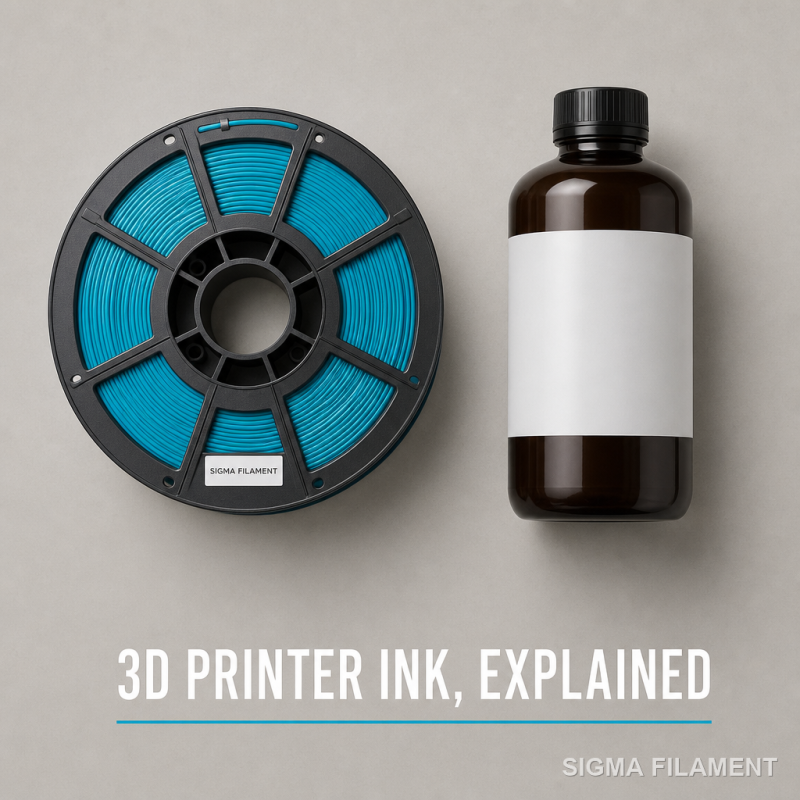
Imagine a highly precise, computer-controlled hot glue gun. This is the essence of FDM printing. A spool of solid thermoplastic filament is fed into a heated nozzle, known as a hotend, where it is melted and extruded in a thin, continuous line. The printer’s motion system moves this nozzle (or the print bed beneath it) along a pre-programmed path to draw a single, flat layer of the object. The bed then moves down slightly, and the process repeats, drawing the next layer on top of the previous one. Layer by painstaking layer, the three-dimensional object is built from the ground up.
This method is the most common, accessible, and generally affordable form of 3D printing today. Its greatest strength lies in its versatility and the robustness of its prints. FDM printers can work with a vast and ever-expanding library of materials, from the simple and forgiving PLA to the tough and temperature-resistant ABS and the durable, semi-flexible PETG. The parts produced tend to be strong and functional, making FDM the go-to choice for mechanical prototypes, replacement parts, and large-scale prints. The technology’s main drawback is its resolution. Because the object is built from distinct, visible layers, the final surface will have a textured finish, and fine details can be lost.
Resin Printing (SLA, DLP, MSLA): The Master of Detail
Resin printing operates on a completely different principle, one that feels closer to darkroom photography than to extrusion. It begins with a vat of liquid photopolymer resin. A build platform is lowered into this vat, leaving a paper-thin gap between it and a transparent screen at the bottom. A high-resolution screen (in the case of MSLA, the most common consumer type) then flashes a UV image of a single layer of the object. The light passes through the screen and cures the liquid resin in the gap, solidifying it into the shape of that layer and bonding it to the build platform. The platform then lifts, peels the solidified layer off the bottom of the vat, and lowers again, and the process repeats until the entire object is formed, pulled upwards out of the liquid resin.
The result is nothing short of magical. Because the layers are defined by pixels on a screen rather than the physical diameter of a nozzle, resin printers can achieve astonishing levels of detail and a surface finish that is almost perfectly smooth to the touch. This makes them the undisputed champions for creating things like intricate jewelry, dental models, and tabletop miniatures, where the tiniest details matter. However, this precision comes with trade-offs. The process is inherently messy, requiring the user to wash the print in a solvent (typically isopropyl alcohol) to remove excess uncured resin and then post-cure it under a UV light source to achieve its final material properties. The resins themselves are more expensive than FDM filament, can have a strong chemical odor, and require careful handling with gloves and good ventilation. Furthermore, the build volumes of consumer resin printers are typically much smaller than their FDM counterparts.
To make this distinction clearer, consider the following comparison:
| Feature | Fused Deposition Modeling (FDM) | Resin Printing (MSLA/SLA/DLP) |
|---|---|---|
| Primary Strength | Strong, functional parts; large build volume; material variety. | Extremely high detail; smooth surface finish. |
| Technology | Extrudes melted thermoplastic filament layer by layer. | Cures liquid photopolymer resin with a UV light source. |
| Common Materials | PLA, PETG, ABS, TPU, Nylon, Composites. | Standard, Tough, Flexible, Castable, and Bio-compatible Resins. |
| Typical Use Cases | Prototyping, functional parts, jigs, fixtures, large models. | Miniatures, jewelry, dental models, artistic sculptures. |
| Resolution/Detail | Good to Very Good (limited by nozzle size and layer height). | Exceptional (limited by pixel size of the LCD screen). |
| Post-Processing | Remove supports, optional sanding/smoothing. | Mandatory washing in solvent and post-curing with UV light. |
| Ease of Use | Lower initial learning curve; less messy process. | Messier workflow; requires safety precautions (gloves, ventilation). |
| Cost of Consumables | Generally lower (filament is cheaper per kilogram). | Generally higher (resin is more expensive per liter). |
This choice is not about which technology is “better” in an absolute sense. It is about which technology is better suited to the objects you wish to bring into the world. The engineer building a functional drone frame will almost certainly choose FDM for its strength and material options. The jeweler crafting a master pattern for a ring will choose resin for its flawless detail. Your own purpose, as defined in our first step, will be your guide.
The Language of Creation: Understanding Material Compatibility
Once you have a sense of the core technology that aligns with your goals, the next critical consideration is the language that the printer speaks—its materials. A 3D printer is only as capable as the materials it can successfully work with. For FDM printing, this means a diverse world of thermoplastic filaments, each with its own personality, strengths, and challenges. For resin printing, it means a range of photopolymers formulated for specific properties. Choosing a printer without considering the materials you intend to use is like buying a pen without knowing if it accepts the ink color you need.
The material you choose is not an afterthought; it is an integral part of the design process. A part’s strength, flexibility, temperature resistance, and even its appearance are determined by the filament or resin from which it is made (Singh, 2025). Let’s explore the most common FDM filaments, as this is where the greatest variety and complexity lie for most new users.
The Universal Starting Point: Polylactic Acid (PLA)
If FDM filaments were a family, PLA would be the friendly, easy-going member that gets along with everyone. Derived from renewable resources like corn starch or sugarcane, PLA is a biodegradable thermoplastic that is prized for its ease of use . It prints at relatively low temperatures (typically 190-220°C), does not require a heated print bed (though one is helpful), and exhibits minimal warping as it cools. This forgiving nature makes it the default starting material for nearly every new 3D printer user. It produces rigid, detailed prints with a slightly glossy finish and is available in a staggering array of colors and special effect variants, such as silk, matte, and glow-in-the-dark. Its primary limitations are its relatively low heat resistance (it can deform in a hot car) and its brittleness compared to other materials. It is perfect for aesthetic models, non-functional prototypes, and general-purpose printing.
The Durable All-Rounder: Polyethylene Terephthalate Glycol (PETG)
PETG is the practical, dependable sibling in the filament family. It is the same type of plastic used to make water bottles, but with glycol added to enhance its printing properties. PETG offers a compelling balance of features: it is significantly stronger and more temperature-resistant than PLA, while being easier to print than ABS . It possesses excellent layer adhesion, resulting in durable parts that can withstand impact and stress. It also has good chemical resistance and can be food-safe if printed with the appropriate hardware and settings. These properties make PETG an excellent choice for functional parts, such as mechanical brackets, protective cases, and printer parts themselves. Its main challenges are that it is hygroscopic (it readily absorbs moisture from the air, which can ruin print quality) and can be prone to “stringing” if settings are not dialed in correctly.
The Engineering Staple: Acrylonitrile Butadiene Styrene (ABS)
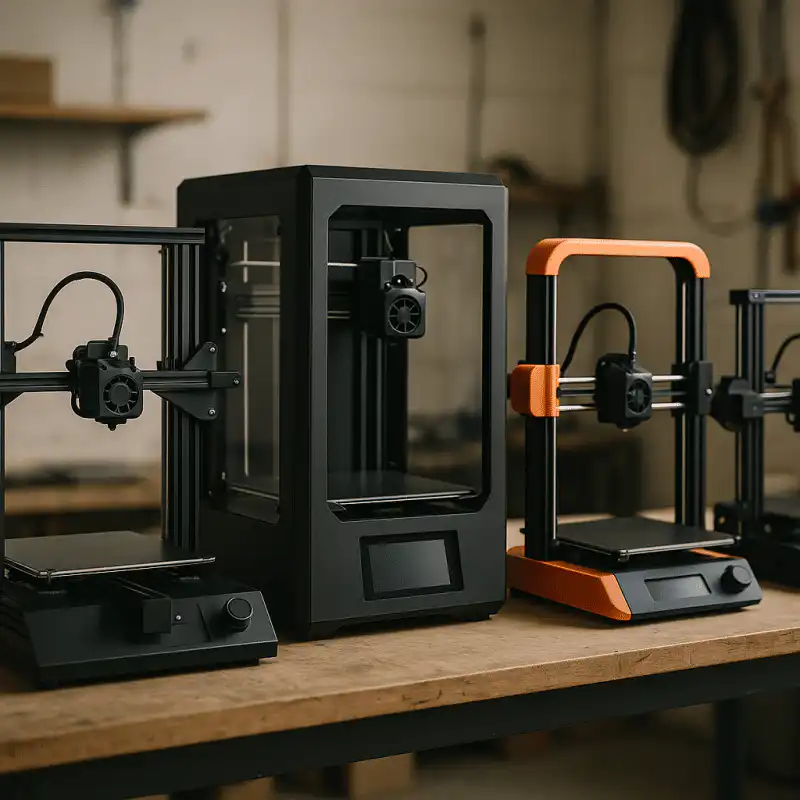
ABS is the tough, industrial-grade member of the family, the same plastic that LEGO bricks are made from. It is prized in engineering for its high strength, excellent impact resistance, and ability to withstand higher temperatures than PLA or PETG. It can also be post-processed easily; for example, exposing it to acetone vapor can smooth the surface to a glossy, injection-molded finish. However, this performance comes with significant printing challenges. ABS requires high printing temperatures and, most importantly, a consistently hot environment to print successfully. It shrinks considerably as it cools, which causes prints to warp and crack if printed in the open air. Therefore, printing ABS effectively requires a printer with a heated bed set to a high temperature (around 100-110°C) and, crucially, an enclosure to trap heat and prevent drafts. It also releases potentially harmful fumes (styrene) while printing, necessitating good ventilation.
To help visualize these trade-offs, here is a comparison of these three core materials:
| Property | Polylactic Acid (PLA) | Polyethylene Terephthalate Glycol (PETG) | Acrylonitrile Butadiene Styrene (ABS) |
|---|---|---|---|
| Ease of Printing | Very Easy | Moderate | Difficult |
| Strength & Durability | Moderate (Brittle) | High (Tough) | Very High (Impact Resistant) |
| Temperature Resistance | Low (~60°C) | Moderate (~80°C) | High (~100°C) |
| Hardware Needs | Basic printer is fine. | Heated bed recommended. | Heated bed and enclosure required. |
| Fumes/Odor | Minimal, sweet smell. | None to minimal. | Strong, potentially harmful odor. |
| Common Applications | Aesthetic models, prototypes. | Functional parts, mechanical components. | High-temp parts, automotive components. |
Beyond the Basics: Flexible, Composite, and Engineering Filaments
The world of filaments extends far beyond these three. Thermoplastic Polyurethane (TPU) is a rubber-like material used for printing flexible objects like phone cases or vibration dampeners. Composite filaments, such as those infused with carbon fiber, wood, or metal powders, offer enhanced properties like stiffness or unique aesthetic finishes. For instance, a high-quality carbon fiber PETG combines the usability of PETG with the strength and rigidity of carbon fiber, making it ideal for demanding functional parts like drone frames or custom tooling. High-performance engineering filaments like Nylon and Polycarbonate (PC) offer incredible strength and heat resistance but come with even more demanding hardware requirements.
When choosing a printer, you must ask if it is equipped to handle the materials you envision using, both now and in the future. A printer with a basic hotend might be limited to PLA, while a machine with an all-metal hotend that can reach 300°C, a direct-drive extruder for better filament control, and an enclosure opens the door to this entire world of advanced materials. Your choice of printer defines the boundaries of your material palette.
Space, Scale, and Ambition: Evaluating Build Volume and Physical Footprint
The physical dimensions associated with a 3D printer are a matter of profound practical importance, influencing not only what you can create but also where you can create it. These considerations are twofold: the internal build volume, which defines the maximum size of a single printed object, and the external footprint of the machine itself, which dictates how it will integrate into your living or working space.
What is Build Volume? The Canvas for Your Creations
The build volume of a 3D printer is its three-dimensional workspace, typically expressed in millimeters as X × Y × Z dimensions. The X and Y axes represent the length and width of the print bed, while the Z axis represents the maximum printable height. A common entry-level size in 2026 is around 220 × 220 × 250 mm. This means you could print an object that is, at its maximum, 22 centimeters long, 22 centimeters wide, and 25 centimeters tall.
To make this abstract number tangible, think about your intended projects. That 220 mm square bed is more than enough for most tabletop miniatures, small electronic enclosures, and household gadgets. However, if your ambition is to print a full-size cosplay helmet in a single piece, you would require a printer with a much larger build volume, perhaps 300 × 300 × 400 mm or even larger. It is essential to visualize your goals within these virtual boundaries. A common mistake is to underestimate the size of a desired object or to overestimate the capacity of a standard printer. Before you commit, it can be a valuable exercise to find 3D models of projects you are interested in and check their dimensions against the build volumes of the printers you are considering.
The “Bigger is Better” Fallacy
There is a natural temptation to assume that a larger build volume is always preferable. While a large capacity offers flexibility, it is not without its trade-offs. Larger printers are, by necessity, physically bigger, heavier, and often more expensive. Heating a larger print bed to the required temperature takes more time and consumes more energy. Maintaining a stable temperature across a large print area can be more challenging, potentially increasing the risk of warping on large, flat prints, especially with materials like ABS.
Furthermore, printing a very large object can be a multi-day affair, and a print failure 30 hours into a 36-hour job can be both frustrating and wasteful. In many cases, a more practical approach is to use software to slice a large model into smaller, more manageable parts that can be printed separately and then assembled. This strategy allows you to use a smaller, more affordable, and often more reliable printer. It also means that if one part fails, you only need to reprint that section, not the entire object. Therefore, do not let the allure of a massive build volume overshadow the practical advantages of a standard-sized printer unless you have a specific, recurring need for single-piece large-format printing.
The Printer’s Footprint: Where Will It Live?
Beyond the internal build volume is the external physical footprint of the machine itself. A printer with a 220 × 220 mm bed does not fit into a 220 × 220 mm space. You must account for the frame, the movement of the print bed (on some models, the bed moves back and forth along the Y-axis), the electronics housing, and the filament spool holder. A printer’s product page will list its external dimensions, and you should measure your intended space—be it a desk, a workbench, or a shelf—to ensure a proper fit.
You must also consider the “operational footprint.” This includes leaving adequate clearance around the machine for ventilation and access. You will need space to load and unload filament, remove finished prints, and perform maintenance. If you plan to use an enclosure to print high-temperature materials or to reduce noise, that will add significantly to the overall footprint. The noise level of the printer is another environmental factor. While modern printers with silent stepper motor drivers are remarkably quiet, the cooling fans for the electronics and the hotend still produce a constant hum. A printer running in a dedicated workshop is one thing; a printer running overnight in a studio apartment is another entirely. The location you have available for your printer is a real-world constraint that should be taken just as seriously as any technical specification.
The Anatomy of a Printer: Key Hardware and Quality-of-Life Features
While the core technology and build volume define the broad strokes of a printer’s capabilities, the specific hardware components and integrated features determine its performance, reliability, and overall user experience. These are the details that separate a frustrating machine from a delightful one. As a prospective buyer, learning to identify and understand these features is crucial for making a sophisticated choice that will serve you well in the long term. These components represent the functional heart of the machine, and their quality and design have a direct impact on the quality of your prints.
The Print Bed: Adhesion is Everything
The print bed, or build plate, is the foundation upon which every print is built. Its single most important job is to hold the first layer of the print firmly in place while it is being printed and then release it easily once the job is complete. Failure to achieve good first-layer adhesion is the most common point of failure in all of FDM 3D printing.
A heated bed is a non-negotiable feature for any serious printer in 2026. While PLA can sometimes be printed on a cold bed, a heated bed dramatically improves adhesion for all materials and is absolutely required for PETG and ABS to prevent warping.
The bed surface is equally important. Early printers used plain glass, which provides a beautifully smooth bottom finish but often requires an adhesive aid like glue stick or hairspray. More modern surfaces have largely superseded this. PEI (Polyetherimide) sheets are now a popular standard. They come in two main varieties: smooth PEI offers a glass-like finish and excellent adhesion when clean, while textured, powder-coated PEI provides a unique matte finish and incredible adhesion, especially for materials like PETG, which can sometimes stick too well to smooth surfaces. Many printers now feature magnetic flexible steel sheets topped with PEI. This is a tremendous quality-of-life improvement; once a print is finished, you can simply remove the sheet, flex it, and the print pops right off, eliminating the need for scraping.
The Extruder and Hotend: The Heart of the Machine
If the bed is the foundation, the extruder and hotend assembly is the heart, responsible for gripping, melting, and depositing the filament with precision. There is a key design choice here that has significant implications for performance:
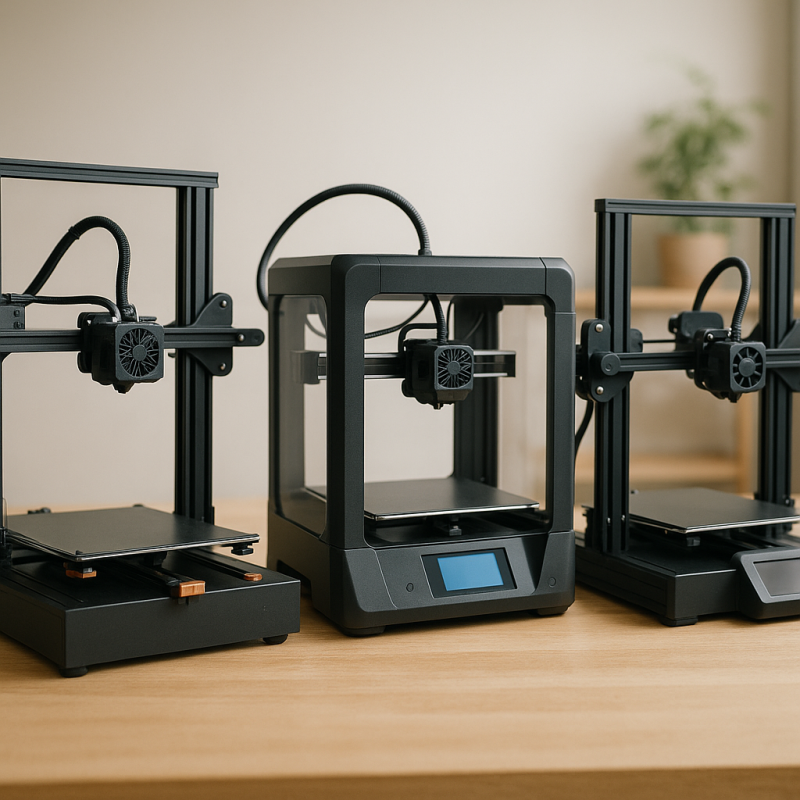
A Bowden extruder setup places the extruder motor (the part that pushes the filament) on the printer’s frame, away from the moving hotend. A long PTFE tube guides the filament from the motor to the hotend. This design reduces the weight on the moving print head, allowing for faster print speeds with less vibration. However, the long path and flexibility in the tube can make it less responsive, which can be problematic when printing with soft, flexible filaments like TPU.
A Direct Drive extruder mounts the extruder motor directly on top of the hotend. This creates a very short, constrained filament path, giving the system exceptional control over extrusion and retraction. This makes it far superior for handling flexible and abrasive materials. It also improves retraction performance, reducing stringing. The trade-off is the increased weight on the print head, which can introduce more vibration (ringing) at very high speeds if the printer’s frame is not sufficiently rigid. For users who want maximum material versatility, a direct drive system is often the preferred choice.
The hotend itself is where the melting happens. A basic, PTFE-lined hotend has a small segment of PTFE tube that extends all the way down to the nozzle. This design is inexpensive and reliable for low-temperature materials like PLA, but the PTFE tube will begin to degrade above ~240°C, releasing harmful fumes and causing clogs. An all-metal hotend replaces this PTFE liner with metal components, allowing it to safely reach temperatures of 300°C or even higher. This is an essential feature for printing with engineering-grade materials like Nylon, Polycarbonate, and certain composites.
Automation and Convenience Features
The last few years have seen a revolution in features designed to automate the most tedious and error-prone aspects of 3D printing. These are no longer exclusive to high-end machines and represent some of the most significant advancements in user experience.
Automatic Bed Leveling (ABL) is perhaps the most important of these. Manually leveling a print bed—adjusting knobs at each corner to ensure the nozzle is the perfect distance from the bed at every point—is a frustrating and unintuitive process for beginners. ABL systems use a probe to touch the bed at multiple points, creating a digital map of its surface. The printer’s firmware then uses this map to automatically adjust the Z-height during the first few layers, compensating for any minor tilts or imperfections. This feature single-handedly eliminates the most common cause of print failures and is a must-have for a first-time buyer.
Other key features to look for include a filament runout sensor, which will pause the print if you run out of filament mid-job, allowing you to load a new spool and resume, and power loss recovery, which enables the printer to continue a print after an unexpected power outage. As printers have become more connected, Wi-Fi connectivity and web interfaces that allow you to start, stop, and monitor prints remotely from your computer or phone are also becoming standard and offer a huge leap in convenience.
Open Source vs. Proprietary Ecosystems
Finally, there is a philosophical and practical dimension to consider: the ecosystem of the printer. Some companies, like Prusa Research and Creality, are built upon an open-source philosophy. Their hardware designs and software are publicly available, fostering a massive community of users who share modifications, upgrades, and knowledge. This gives the user incredible freedom to customize, repair, and improve their machine.
Other companies, most notably Bambu Lab, have gained immense popularity with a more proprietary, “walled garden” approach . Their printers are designed as a tightly integrated system of hardware, software, and sometimes even materials. The result is an incredibly streamlined, “it just works” user experience, especially for multi-color printing. The trade-off is a loss of control; repairs may require proprietary parts, and you are tied to their specific software and ecosystem. The choice between these two philosophies depends on your personality: do you want a device that you can endlessly tinker with, or do you want an appliance that delivers results with minimal input?
Beyond the Sticker Price: Calculating the Total Cost of Ownership
A common pitfall for first-time buyers is to focus exclusively on the initial purchase price of the printer. This figure, while important, is only one component of the total financial commitment. A 3D printer is not a one-time purchase but the start of an ongoing investment in a hobby or profession. A thoughtful evaluation of the total cost of ownership (TCO) will provide a much more realistic financial picture and help you avoid unforeseen expenses down the road.
The Initial Investment: From Entry-Level to Prosumer
The 3D printer market in 2026 can be broadly segmented into several price tiers, each offering a different balance of features, reliability, and user experience.
Sub-$300: This is the ultra-budget category. Printers in this range are almost always sold as kits that require significant assembly. They provide a basic mechanical platform but often cut corners on components like the power supply, mainboard, and user interface. While they can produce good prints, they almost invariably require a significant investment of time for tuning, troubleshooting, and often, immediate upgrades to improve safety and reliability. These printers are best suited for patient tinkerers on a strict budget who see the printer itself as a project.
$300 – $800: This range represents the “sweet spot” for most hobbyists and new users. Printers here, such as the popular Creality Ender-3 V3 series or the Prusa MINI+, typically come semi-assembled and include many of the crucial quality-of-life features discussed earlier, like automatic bed leveling and quieter electronics. They offer a much better out-of-the-box experience while still being affordable. They represent a fantastic balance of capability and cost, providing a reliable platform that can grow with your skills.
$800 – $2000+: This is the prosumer and professional tier. Machines like the Bambu Lab X1 series or the Prusa MK4 are engineered for speed, reliability, and advanced features like multi-material printing. They are typically fully assembled, rigorously tested, and built with higher-quality components throughout. The value proposition here is time; these printers are designed to work flawlessly with minimal intervention, allowing the user to focus on creation rather than calibration. For businesses or serious users where print failures and downtime have a real financial cost, the higher initial investment is easily justified.
The Recurring Costs: Filament, Resin, and Spare Parts
The largest ongoing expense in 3D printing is the consumable material. For FDM, this is filament, which is typically sold in 1-kilogram (2.2 lbs) spools. The price can vary, but as of 2026, a standard spool of good quality PLA or PETG from a reputable supplier like the 3D printer filament manufacturer SigmaFilament generally costs between $20 and $30. Specialty filaments, like carbon-fiber reinforced composites or flexible TPUs, can cost significantly more, from $40 to over $60 per kilogram. A prolific hobbyist might easily go through a kilogram of filament every month or two.
For resin printing, the costs are higher. A 1-liter bottle of standard resin typically costs between $30 and $50, and specialty resins (e.g., tough or castable) are more expensive. You must also factor in the cost of isopropyl alcohol (or another solvent) for washing parts and the eventual replacement of the FEP/PFA film at the bottom of the resin vat and the LCD screen itself, which are considered consumables with a finite lifespan.
Beyond materials, you should budget for wear-and-tear parts. Brass nozzles are very inexpensive but wear out, especially if printing abrasive materials. Belts may stretch, and PTFE tubes may degrade. While these individual parts are not expensive, they are a necessary part of long-term maintenance.
The Hidden Costs: Upgrades and Your Time
One of the most significant, yet often overlooked, costs is the investment of your own time. A cheaper, kit-based printer may save you money upfront, but it will demand hours of your time for assembly, calibration, and troubleshooting. The impulse to upgrade a budget printer is also strong. You might soon find yourself spending money on a new all-metal hotend, a flexible PEI build plate, or a more powerful mainboard. It is not uncommon for the total cost of these upgrades to meet or exceed the price of a more expensive printer that included these features from the start.
When evaluating your budget, you must perform an honest self-assessment. Is your time valuable? Do you want to start printing as soon as possible, or do you enjoy the process of building and upgrading your tools? Answering these questions will help you decide whether to pay more upfront for a pre-configured, feature-rich machine or to save money initially and invest your time and future funds into a more basic platform.
The Broader Ecosystem: Community, Support, and Software
A 3D printer does not exist in a vacuum. It is part of a larger ecosystem that includes the community of its users, the support provided by its manufacturer, and the software that powers it. The quality of this ecosystem can have as much of an impact on your success and enjoyment as the hardware itself. A fantastic piece of hardware with no support or community can be a deeply frustrating experience, while a modest printer backed by a vibrant, helpful community can be a joy to own and operate.
The Power of Community
Especially for those new to 3D printing, the value of a large and active user community cannot be overstated. When you encounter an inevitable problem—a clogged nozzle, a warped print, a strange artifact on your model’s surface—the chances are high that someone else has faced the exact same issue. A robust community on platforms like Reddit, Facebook, or dedicated manufacturer forums means that a solution is often just a quick search away. These communities are also a wellspring of inspiration, where users share their creations, post modified print settings, and develop hardware upgrades that can elevate the performance of your machine far beyond its stock capabilities. When you choose a popular and well-established printer model, you are not just buying a machine; you are gaining access to a global brain trust of thousands of fellow makers.
Manufacturer Support and Warranty
While community support is invaluable for day-to-day issues, there are times when you need direct help from the company that made your printer. This is where the quality of official customer support and the terms of the warranty become critical. Some companies, particularly those in the higher-end and prosumer markets, invest heavily in responsive customer support, offering help via email, chat, or phone. They provide comprehensive documentation, detailed troubleshooting guides, and a straightforward process for replacing parts that are defective or fail under warranty.
Other companies, especially in the budget sector, operate on thinner margins and may offer limited support, relying instead on the community and third-party sellers to handle issues. Before buying, it is a wise practice to research the reputation of a brand’s customer service. Read reviews, browse forums, and see how the company responds to user problems. A printer with a solid warranty and a reputation for standing behind its product provides peace of mind that is well worth considering in your overall evaluation.
The Slicer: Your Digital Workshop
The final piece of the ecosystem is the slicer software. A slicer is a piece of software that takes your 3D model (typically an .STL or .3MF file) and “slices” it into the hundreds or thousands of individual layers that the printer will execute. It is the bridge between your digital design and the physical machine, generating the G-code (the specific instructions) that tells the printer exactly where to move, how fast to go, and how much filament to extrude at every single point.
The choice of slicer is a matter of both capability and preference. The most popular slicers—Ultimaker Cura, PrusaSlicer, and its derivative OrcaSlicer—are incredibly powerful, free, and compatible with a wide range of printers. They offer hundreds of settings that allow for minute control over every aspect of the printing process. Some manufacturers provide pre-configured profiles for these slicers, making setup easy. Other printer manufacturers, as mentioned earlier, develop their own proprietary slicers that are tightly integrated with their hardware. These can offer a more seamless, user-friendly experience but may lock you into a specific workflow.
When choosing a printer, it is important to know which slicers it is compatible with and how well-supported it is by the major software platforms. A printer with well-tuned, official profiles in a popular slicer will allow you to get up and running and producing high-quality prints much more quickly.
Frequently Asked Questions (FAQ)
What is the best 3D printer for a complete beginner in 2026?
For a complete beginner, the best choice is typically an FDM printer in the $300-$800 price range from a reputable brand with a large community. Look for a model that comes semi-assembled and includes key “quality of life” features, most importantly automatic bed leveling (ABL). Machines like the Prusa MINI+ or the latest generation of the Creality Ender-3 series are excellent starting points because they balance affordability with a reliable out-of-the-box experience and have extensive community support for troubleshooting and learning.
Do I need an enclosure for my 3D printer?
An enclosure is not strictly necessary if you only plan to print with materials like PLA. However, it becomes essential if you want to print with high-temperature materials like ABS or ASA. These materials shrink as they cool, and an enclosure traps heat, creating a stable, warm environment that prevents warping and layer splitting. An enclosure also helps contain fumes and can significantly reduce the operating noise of the printer.
How much maintenance does a 3D printer require?
All 3D printers require some routine maintenance. This includes regularly cleaning the print bed to ensure good adhesion, checking that belts are properly tensioned, and periodically cleaning and inspecting the extruder and hotend components. The most common part to replace is the brass nozzle, which can wear out over time, especially with abrasive filaments. A well-maintained printer is a reliable printer, and most tasks take only a few minutes.
Can I print functional, strong parts on a hobbyist printer?
Absolutely. The strength of a part is determined more by the material used and the print settings than by the price of the printer. A well-calibrated hobbyist printer can produce incredibly strong and durable functional parts using materials like PETG, ABS, or carbon-fiber reinforced filaments. The key is to optimize print settings like layer height, wall thickness, infill percentage, and print orientation to maximize the part’s strength along the axes where it will experience the most stress.
Is resin printing safe to do at home?
Resin printing can be done safely at home, but it requires strict safety protocols. Uncured liquid resin is a skin irritant and should not be handled without nitrile gloves. The printing and washing process can release volatile organic compounds (VOCs) with a strong odor, so it is critical to use the printer in a well-ventilated area, ideally near an open window with a fan or within a dedicated ventilation enclosure. Always wear safety glasses to protect against splashes.
How does print speed affect the quality of a 3D print?
Print speed has a direct trade-off with print quality. Printing faster requires the print head to change direction more quickly, which can introduce vibrations into the printer’s frame. These vibrations can manifest as artifacts on the print’s surface, such as “ringing” or “ghosting.” Slower speeds allow for more precise filament placement and better cooling of each layer, generally resulting in a cleaner surface finish and stronger layer adhesion. Finding the right balance of speed and quality is a key part of learning to use your printer effectively.
Should I buy a kit or a pre-assembled 3D printer?
This depends on your goals and patience. A kit printer can be cheaper and offers an excellent hands-on learning experience, as you will understand how every part of the machine works. However, assembly can be time-consuming and frustrating if you are not mechanically inclined. A pre-assembled or semi-assembled printer costs more but allows you to start printing almost immediately. For most beginners who want to focus on creating objects rather than building the tool, a semi-assembled printer is the recommended path.
Final Thoughts
The journey of how to choose a 3D printer is, in truth, a journey of self-discovery. It compels you to clarify your creative ambitions, assess your practical constraints, and decide what you value most in a tool: is it raw performance, ease of use, creative freedom, or the joy of tinkering? There is no single “best” printer, only the printer that is best for you, your projects, and your budget. The machine you ultimately choose is not an endpoint but a gateway. It is the beginning of a learning process, a continuous dialogue between you, the machine, and the materials it transforms. Embrace the learning curve, engage with the community, and do not be afraid to experiment. The power to turn a thought into a thing, to pull an idea from the intangible realm of the digital and give it weight and form in your hands, is a remarkable capability. Your printer is waiting to help you do just that.
References
- 3D Printed Decor. (2026, January 12). The complete 3D printer filament guide: Technical data, brand analysis & scientific research (2025).
- Hawk Ridge Systems. (n.d.). How to choose the perfect 3D printer in 3 easy steps. Retrieved February 11, 2026, from https://hawkridgesys.com/blog/how-to-choose-the-perfect-3d-printer-in-3-easy-steps
- Maker Forums. (2024, May 14). Please help me to choose my first 3d printer.
- SIGMAFILAMENT. (2026, January 25). Actionable buyer’s guide: 7 factors for success with carbon fiber PETG in 2026. https://sigmafilament.com/carbon-fiber-petg-printing-guide/
- SIGMAFILAMENT. (2026, January 27). A practical 2026 buyer’s guide: PLA vs PETG vs ABS. https://sigmafilament.com/pla-vs-petg-vs-abs-filament-guide/
- Sigma Unlimited. (n.d.). 3D prints materials catalog. Retrieved February 11, 2026, from
Last reviewed and updated: February 2026. Author: SigmaFilament Engineering Team. For custom filament solutions and wholesale inquiries, contact our team.