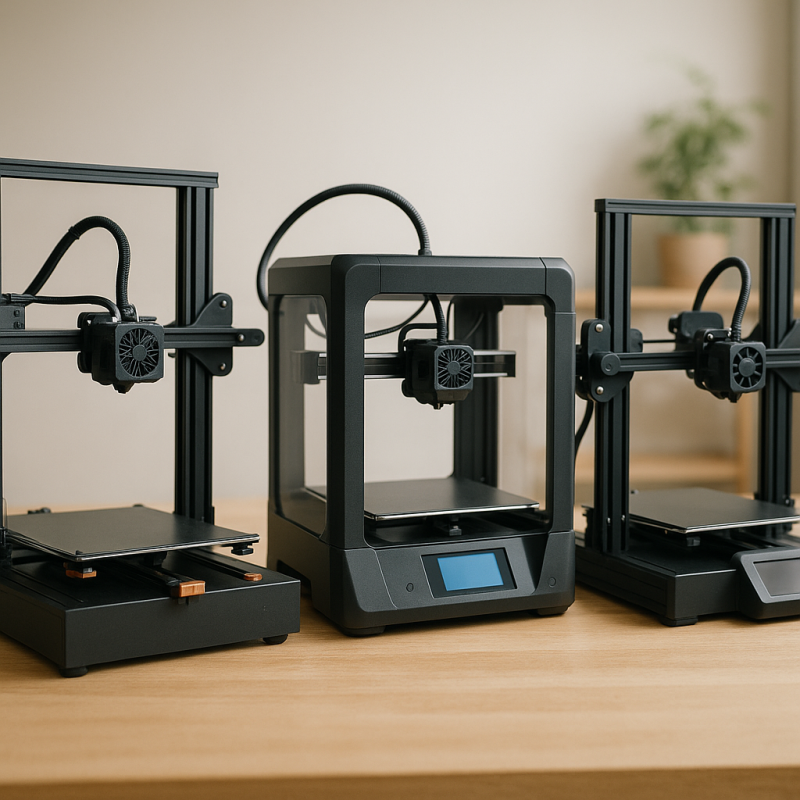
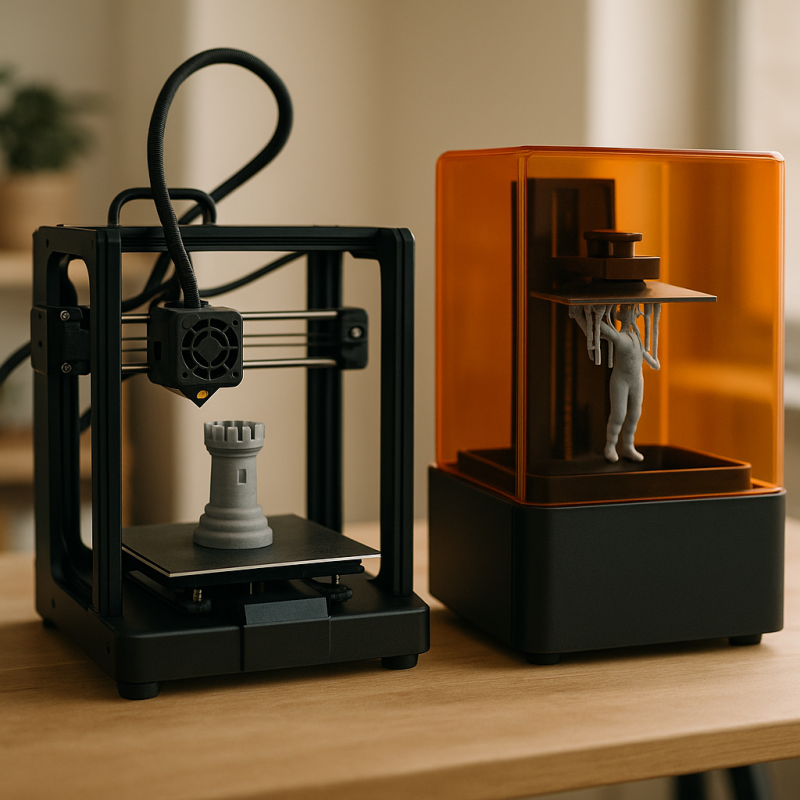
A Practical 2026 Buyer’s Guide to 3D Printers for Sale: 7 Material Factors to Check Before Purchasing


Abstract
The landscape of additive manufacturing in 2026 presents a complex decision-making process for prospective buyers navigating the market for 3D printers for sale. This guide examines the purchase of a 3D printer not merely as an acquisition of hardware, but as an investment in a specific material ecosystem. It posits that a printer’s true utility and long-term value are fundamentally determined by its compatibility with a spectrum of 3D printing filaments. The analysis moves beyond surface-level features to a deeper investigation of seven critical material-related factors. These include the thermal capacities of the hotend and build plate, the necessity of an enclosure for thermal stability, the mechanical design of the extrusion system, the durability of the nozzle against abrasive composites, and the economic implications of open versus proprietary filament systems. By framing the selection process through the lens of material science and mechanical requirements, this document provides a structured framework for both hobbyists and professionals to make an informed choice, ensuring the selected apparatus aligns with their creative, engineering, and production ambitions.
Key Takeaways
- Assess a printer’s nozzle and bed temperature limits to match your desired materials.
- Consider an enclosure for dimensionally stable prints with high-shrinkage filaments like ABS.
- Choose a direct drive extruder for flexible materials or a Bowden for higher speeds.
- Factor in the cost of hardened steel nozzles for printing with abrasive composites.
- Prioritize printers with open filament systems for greater material choice and lower costs.
- Evaluate the full range of 3D printers for sale by focusing on material capabilities first.
- Verify filament diameter (1.75mm vs. 2.85mm) is compatible with your chosen machine.
Table of Contents
- Understanding the Material-First Approach to Buying a 3D Printer
- Factor 1: The Thermal Heart—Nozzle Temperature and Material Melting Points
- Factor 2: The Foundation—Heated Bed Requirements and Adhesion
- Factor 3: The Environment—Enclosure Needs for Thermal Stability and Safety
- Factor 4: The Delivery System—Extruder Design and Its Impact on Filament Handling
- Factor 5: The Point of Contact—Nozzle Material and Resistance to Abrasive Filaments
- Factor 6: The Standard Gauge—Filament Diameter and Feeder System Compatibility
- Factor 7: The Ecosystem—Open vs. Proprietary Filaments and Long-Term Costs
- Frequently Asked Questions (FAQ)
- Conclusion
- References
Understanding the Material-First Approach to Buying a 3D Printer
When one begins the search for 3D printers for sale, the initial encounter is often a dizzying array of specifications, brand names, and price points. It is a common human tendency to gravitate toward easily comparable numbers: build volume, print speed, or layer resolution. These metrics, while not unimportant, can be profoundly misleading if considered in isolation. They speak to the what and the how fast but neglect the most fundamental question of all: what is this object made of? The choice of material is the very soul of a printed object. It dictates its strength, its flexibility, its texture, its resistance to heat or chemicals, and ultimately, its function in the real world.
To approach the purchase of a 3D printer from a material-first perspective is to engage in a form of reverse engineering of your own intentions. Instead of asking, “What printer should I buy?” one should first pose the question, “What do I want to create, and what physical properties must those creations possess?” Do you envision crafting detailed tabletop miniatures, functional engineering prototypes, flexible phone cases, or heat-resistant automotive parts? Each of these applications points toward a different class of material, and each material, in turn, places specific, non-negotiable demands on the hardware.
This shift in perspective transforms the selection process from a passive comparison of features into an active investigation of capabilities. A printer is not just a machine; it is a specialized tool designed to manipulate matter. Its heated nozzle is a miniature volcano, its build plate a tectonic platform, its extruder a precision pump. The harmony between these components and the chosen 3D printing filament is what separates a successful, beautiful print from a frustrating failure. A machine with a maximum nozzle temperature of 240°C is simply incapable of working with a material like Polycarbonate, which requires temperatures closer to 300°C. Similarly, a printer without a heated bed will almost certainly fail when attempting to print large objects in ABS due to warping.
Considering the vast marketplace, with options ranging from budget-friendly beginner models to professional systems from specialized retailers, this material-centric framework provides a clear path through the noise. It empowers you, the buyer, to look past marketing claims and assess a machine’s fundamental capacity to bring your specific ideas to life. Before you commit to a purchase, you must understand the language of materials, for it is this language that the printer must speak fluently.
The Relationship Between Cost and Capability
A crucial aspect of this material-first approach is its direct correlation with cost—both initial and ongoing. The 3D printer price is often a reflection of its material versatility. An entry-level printer, typically under $300, is usually engineered to excel at one thing: printing with Polylactic Acid (PLA). PLA is forgiving, has a low melting point, and does not require a heated bed or enclosure. As you ascend the price ladder, you are essentially purchasing greater thermal and mechanical robustness.
A mid-range printer ($500 – $1,500) might introduce a heated bed capable of reaching 100°C and a hotend that can sustain 260°C. This opens the door to materials like ABS and PETG. Professional and prosumer machines ($1,500 – $5,000+) often include features like all-metal hotends for temperatures exceeding 300°C, actively heated chambers, direct drive extruders, and hardened components. These features are not luxuries; they are prerequisites for working with engineering-grade and high-performance materials such as Nylon, Polycarbonate (PC), and carbon fiber composites. The table below illustrates this relationship between common materials and the machine features they necessitate.
| Material | Typical Nozzle Temp. (°C) | Heated Bed Required? | Enclosure Recommended? | Common Applications |
|---|---|---|---|---|
| PLA | 190-220 | No, but helpful (50-60°C) | No | Prototypes, models, hobbyist prints |
| PETG | 220-250 | Yes (70-85°C) | No, but helpful | Functional parts, containers, mechanical items |
| ABS | 230-260 | Yes (90-110°C) | Yes, strongly | Durable parts, automotive, enclosures |
| TPU | 210-240 | Yes (40-60°C) | No | Flexible items, phone cases, vibration dampers |
| Nylon (PA) | 240-270 | Yes (70-90°C) | Yes, strongly | Gears, living hinges, high-durability parts |
| PC | 270-310 | Yes (100-130°C) | Yes, required | High-strength, heat-resistant parts |
Understanding this table is the first step toward making a sensible investment. If your ambitions lie solely with PLA, spending thousands on a high-temperature machine is unnecessary. Conversely, if you know you need to prototype functional gears from Nylon, purchasing a basic printer without an enclosure or a capable heated bed is a recipe for disappointment. The initial 3D printer price is only the beginning of the story; the true cost of ownership is tied to the materials you can successfully use.
Factor 1: The Thermal Heart—Nozzle Temperature and Material Melting Points
At the very core of the Fused Deposition Modeling (FDM) process lies a deceptively simple act: melting and extruding a thermoplastic filament. The component responsible for this transformation, the hotend, can be thought of as the thermal heart of the 3D printer. Its ability to reach and, just as critically, maintain specific temperatures is the single most important factor determining the range of materials you can print with. Every 3D printing filament has a distinct glass transition temperature and melting point, chemical properties that dictate the energy required to change its state from a solid spool to a molten, extrudable fluid.
A mismatch between your printer’s thermal capabilities and your material’s requirements is not a matter of slight imperfection; it is a categorical barrier. Attempting to print a material with a hotend that cannot get hot enough will result in a clogged nozzle and a failed print. The extruder motor will grind against the solid filament, unable to push it through the under-heated nozzle. Conversely, printing a low-temperature material with a hotend that is too hot can cause it to decompose, burn, and release noxious fumes, leading to a phenomenon known as “heat creep,” where the filament melts too high up in the extruder, causing jams.
Therefore, when evaluating 3D printers for sale, your first technical query should be about the maximum sustained temperature of the nozzle. This specification immediately divides the material world into what is possible and what is not.
Low-Temperature Filaments: The Realm of PLA and PETG
The vast majority of consumer-grade 3D printers are designed around the requirements of low-temperature filaments, primarily PLA (Polylactic Acid) and PETG (Polyethylene Terephthalate Glycol-modified). These materials represent the bedrock of hobbyist and educational 3D printing for good reason.
PLA, a biodegradable polyester derived from renewable resources like corn starch, typically prints at temperatures between 190°C and 220°C. This relatively low range means that even the most basic hotend designs, often featuring a PTFE (Teflon) tube that extends down to the nozzle, can handle it without issue. The PTFE liner provides a low-friction path for the filament but begins to degrade and off-gas toxic fumes at temperatures above 240°C (Ford et al., 2017). This temperature ceiling is a hard limit for many entry-level printers. For businesses needing large quantities of reliable material for prototyping or production, sourcing from a supplier that offers bulk PLA filament can be a significant cost-saving measure, ensuring consistency across many prints.
PETG is a step up from PLA in terms of strength and temperature resistance. It requires slightly higher nozzle temperatures, usually in the 220°C to 250°C range. While most PTFE-lined hotends can technically reach the lower end of this spectrum, pushing them to 250°C consistently can accelerate the degradation of the liner. A printer advertised for PETG compatibility should ideally have a hotend that can comfortably operate in this range without being at its absolute limit. PETG offers a fantastic balance of ease-of-printing and functionality, making it a workhorse for those who need parts with better mechanical properties than PLA can offer.
Mid-Range Engineering Filaments: The Challenge of ABS, ASA, and Nylon
Moving into the realm of true engineering applications requires a printer capable of handling materials like ABS (Acrylonitrile Butadiene Styrene), ASA (Acrylonitrile Styrene Acrylate), and Nylon (Polyamide). These filaments unlock properties like high durability, impact resistance, and in the case of Nylon, excellent wear resistance. However, they demand more from the printer’s thermal system.
ABS, the same plastic used to make LEGO bricks, prints at temperatures between 230°C and 260°C. This range immediately pushes against the limits of a standard PTFE-lined hotend. For reliable ABS printing, a machine with an “all-metal hotend” is highly recommended. In an all-metal design, the low-friction PTFE tube stops in the cool zone, and a polished metal tube, or “heat break,” guides the filament into the heater block. This design choice eliminates the PTFE degradation problem and allows the printer to safely and consistently maintain temperatures up to 300°C or even higher, depending on the specific components.
Nylon, a family of polymers with various formulations, typically requires temperatures from 240°C to 270°C. Its toughness and low coefficient of friction make it ideal for printing functional gears, living hinges, and other durable mechanical parts. Like ABS, it necessitates an all-metal hotend for successful printing. ASA is a close cousin of ABS with the significant advantage of being UV-resistant, making it suitable for outdoor applications. Its printing temperature requirements are very similar to ABS, placing it firmly in the category of materials that demand more than a basic printer.
High-Performance Exotics: The Domain of PC, PEEK, and PEI
At the apex of FDM 3D printing are the high-performance polymers, materials that can produce parts with properties approaching those of machined aluminum. These include Polycarbonate (PC), PEEK (Polyether Ether Ketone), and PEI (Polyetherimide, often sold under the brand name Ultem). Working with these materials is a specialized discipline that requires not just a capable printer, but a truly industrial-grade machine.
Polycarbonate, known for its incredible strength and high heat resistance, needs nozzle temperatures in the 270°C to 310°C range. It is exceptionally demanding and requires not only an all-metal hotend but also a very high-temperature heated bed and a heated enclosure, which will be discussed later.
PEEK and PEI are in a class of their own. These “ultra-polymers” are used in aerospace, medical, and automotive industries for their extreme strength, chemical resistance, and ability to withstand very high operating temperatures. They demand nozzle temperatures of 350°C to over 400°C. A printer capable of this is a specialized piece of industrial equipment, featuring ceramic heaters, water-cooled hotends, and sophisticated thermal management systems. The price of such machines reflects their capabilities, often running into the tens of thousands of dollars. When you see these materials listed, understand that they are far beyond the scope of any consumer or even “prosumer” 3D printer for sale.
Factor 2: The Foundation—Heated Bed Requirements and Adhesion
If the hotend is the heart of a 3D printer, the build plate, or bed, is its foundation. The success of any print begins with the first layer. This initial layer must adhere perfectly to the build surface, remaining flat and stable for the duration of the print, which can sometimes last for days. A failure of first-layer adhesion is one of the most common and frustrating problems in 3D printing, resulting in a detached, useless mass of plastic often called “spaghetti.” The primary tool for ensuring this critical adhesion is the heated bed.
A heated bed serves a single, vital purpose: it keeps the base of the printed object warm. Why is this so important? It all comes down to thermal contraction. As a thermoplastic filament is extruded from the hot nozzle, it immediately begins to cool and solidify. As it cools, it shrinks. For a material like PLA, this shrinkage is minimal and generally manageable. For other materials, like ABS, the shrinkage is significant. When a large, flat object is printed on a cold surface, the upper layers cool and shrink while the first layer is anchored to the bed. This differential shrinkage creates immense internal stress, which pulls the corners and edges of the print upward, causing it to detach from the bed in a phenomenon known as “warping.”
A heated bed counteracts this by keeping the entire model at a temperature just below its glass transition temperature—the point at which the plastic begins to soften. This reduces the thermal gradient throughout the part, minimizes internal stresses, and helps the first layer remain firmly stuck to the build surface.
To Heat or Not to Heat: The PLA Exception
Polylactic Acid (PLA) is unique among common filaments in that it can often be printed successfully without a heated bed. Its low coefficient of thermal expansion means it shrinks very little upon cooling. For small to medium-sized prints, a layer of blue painter’s tape or a specialized adhesive coating on a cold bed is often sufficient to ensure adhesion.
However, even with PLA, a heated bed is beneficial. Setting the bed to a modest temperature of 50-60°C can significantly improve first-layer adhesion, especially for prints with a small footprint or sharp corners. It makes the printing process more reliable and forgiving. For this reason, nearly all but the absolute cheapest 3D printers for sale today include a heated bed as a standard feature. If you are on a very tight budget, you might consider a printer without one, but you must accept that your material choices will be almost exclusively limited to PLA and that you may still face adhesion challenges.
The Non-Negotiable Heated Bed: ABS, PETG, and Nylon
When you venture beyond PLA, a heated bed ceases to be a luxury and becomes a necessity. The question is no longer if you need one, but how hot it can get. Different materials require different bed temperatures to combat warping effectively.
PETG, a popular alternative to PLA for functional parts, requires a bed temperature of approximately 70-85°C. Most modern heated beds can achieve this temperature with ease.
ABS is the classic case study for the importance of a heated bed. Its high rate of thermal contraction makes it notoriously prone to warping. To print ABS reliably, a bed temperature of 90-110°C is required. This is a significant step up from the temperatures needed for PLA or PETG. When evaluating a 3D printer for ABS capability, you must verify that its heated bed can not only reach but also sustain 110°C across its entire surface. Cheaper printers may struggle to reach these temperatures, especially in a cool room, or may have uneven heating, leading to warping in cooler spots on the bed.
Nylon also benefits greatly from a heated bed, typically in the 70-90°C range, used in conjunction with a specialized bed adhesive like a PVA glue stick or a dedicated product like Magigoo PA. The heated bed helps prevent the warping to which Nylon’s crystalline structure makes it susceptible.
High-Temperature Beds for Advanced Materials
For engineering materials like Polycarbonate (PC), even higher bed temperatures are needed. PC requires a bed heated to 100-130°C to print successfully. This temperature range is often the limit for printers powered by standard 24V systems. Achieving and maintaining these temperatures, especially on larger build plates, can require a more robust power supply or an AC-powered heated bed, features typically found on more expensive “prosumer” and industrial machines.
The build surface itself is also a critical part of the adhesion equation. Common surfaces include borosilicate glass, which provides a very flat surface but often requires an adhesive aid, and flexible steel sheets coated with PEI (Polyetherimide). PEI sheets offer excellent adhesion when heated and allow for easy print removal once cooled, as the print simply pops off the flexible sheet. The choice of build surface can be a matter of personal preference, but it is another variable to consider in your quest for the perfect first layer.
Factor 3: The Environment—Enclosure Needs for Thermal Stability and Safety
Once we have addressed the direct application of heat via the nozzle and the bed, we must consider the ambient environment in which the print is created. For many basic materials, printing in an open-air environment is perfectly acceptable. However, for a significant class of engineering filaments, controlling the temperature of the air surrounding the print is just as important as controlling the temperature of the bed it sits on. This is the role of the enclosure.
An enclosure is essentially a box that surrounds the 3D printer, trapping waste heat from the heated bed and nozzle. This creates a passively heated chamber with a stable, elevated ambient temperature. Why is this so beneficial? It goes back to the problem of thermal contraction and warping. A heated bed warms the bottom of the print, but in an open-air printer, the upper layers are still exposed to cool room-temperature air. A draft from a window or an air conditioning vent can cause one side of a tall print to cool faster than the other, leading to layer separation, cracking, and warping.
An enclosure mitigates this by ensuring the entire part cools slowly and evenly. It creates a consistent thermal environment from the first layer to the last, dramatically reducing internal stresses and improving layer-to-layer adhesion. For certain materials, an enclosure is not just recommended; it is a prerequisite for success.
When an Enclosure is Optional but Helpful
For materials with low shrinkage like PLA and PETG, an enclosure is generally not necessary. In fact, for PLA, an enclosure can sometimes be detrimental. If the chamber temperature gets too high (e.g., above 40-45°C), it can cause “heat creep,” where the filament softens too early in the cold end of the extruder, leading to clogs. Some PLA formulations, particularly those with additives for silk or matte finishes, can be more sensitive to this.
However, even for these materials, a simple enclosure can offer benefits beyond thermal management. It can protect the printer from dust and debris, reduce the noise of the printer’s fans and motors, and contain any fumes or odors produced during printing. It also acts as a safety feature, keeping curious pets or children away from the hot and moving parts of the machine.
When an Enclosure is a Requirement: The ABS/ASA Case
The conversation about enclosures becomes serious when we talk about ABS and its UV-resistant sibling, ASA. Both materials exhibit a high degree of thermal shrinkage. Attempting to print a large ABS object on a printer without an enclosure is a classic rite of passage for many new printing enthusiasts—and it almost always ends in a warped, cracked, and failed print.
By trapping heat, an enclosure can raise the ambient temperature around the print to 40-60°C. This stable, warm environment is the secret to successful ABS printing. It allows the entire part to remain above its glass transition temperature for longer, ensuring that stresses are relieved gradually and evenly as the print progresses. The result is a dimensionally accurate part with strong interlayer adhesion and no warping or cracking.
When you are looking at 3D printers for sale with the intention of using ABS, the presence of an included enclosure is a massive indicator of the manufacturer’s intent. Many mid-range and professional printers now come with enclosures as a standard feature. For open-frame printers, a thriving market of third-party and DIY enclosure solutions exists, but a factory-integrated enclosure is often better optimized for the machine’s airflow and electronics.
Actively Heated Chambers for High-Performance Polymers
For the most demanding industrial materials like Polycarbonate (PC), PEEK, and PEI, a passive enclosure is not enough. These materials require not just a warm environment but a very hot and precisely controlled one. This is the domain of the actively heated chamber.
These advanced printers have dedicated heaters and sensors to maintain the internal chamber temperature at specific, high setpoints—often 80°C, 120°C, or even higher. This level of thermal control is necessary to print these materials without delamination and to achieve their optimal mechanical properties through proper annealing. A printer with an actively heated chamber is a serious piece of industrial equipment, and its price reflects that. This feature clearly separates the prosumer market from the true industrial market. If your work demands materials like PEI, your search for a 3D printer for sale will be confined to a very specialized and expensive category of machines.
Furthermore, an enclosure is also a matter of health and safety. Materials like ABS and ASA release styrene, a volatile organic compound (VOC), during printing, which has a distinct odor and can be harmful to inhale over long periods (Azimi et al., 2016). An enclosure helps to contain these fumes, which can then be managed through a carbon or HEPA filtration system, a feature now common on many enclosed printers.
Factor 4: The Delivery System—Extruder Design and Its Impact on Filament Handling
The extruder is the mechanical heart of a 3D printer. It is the assembly responsible for gripping the filament, pushing it with precise control into the hotend, and retracting it when needed. While all extruders perform this same basic function, their design can have a profound impact on a printer’s performance, reliability, and, most importantly, its ability to handle different types of filament. The two dominant extruder designs in the FDM world are the Bowden extruder and the Direct Drive extruder.
Understanding the difference between these two systems is not just a technical exercise; it is fundamental to matching a printer to your material aspirations. The location of the extruder motor determines the forces acting on the filament and dictates how well the system can handle materials that are soft, flexible, or brittle.
The Bowden Extruder: Speed at a Distance
In a Bowden setup, the extruder motor and the gear mechanism that grips the filament are mounted on the printer’s frame, away from the moving print head. A long PTFE tube, the “Bowden tube,” guides the filament from the stationary extruder to the moving hotend.
The primary advantage of this design is reduced weight on the print head. By moving the mass of the motor off the X-axis carriage, the print head can accelerate and change direction more quickly with less vibration and ringing (also known as ghosting). In theory, this allows for higher printing speeds and potentially cleaner prints, especially on larger “bed slinger” style printers where the bed moves back and forth. Many popular and affordable printers use a Bowden setup to achieve faster advertised print speeds.
However, the Bowden system has a significant drawback related to filament control. The long path between the motor and the nozzle introduces slack, friction, and compression into the system. The filament acts like a spring inside the tube. When the motor pushes, the filament compresses slightly before it begins to move out of the nozzle. When the motor retracts to prevent stringing, it has to pull back a significant length of filament to relieve pressure at the nozzle. This “lag” makes it very difficult to print with certain materials.
Flexible filaments, like TPU (Thermoplastic Polyurethane), are the Achilles’ heel of most Bowden systems. Trying to push a soft, noodle-like filament through a long tube is like trying to push a rope—it will tend to buckle, kink, and jam inside the extruder or the tube. While some advanced Bowden setups and stiffer flexible filaments can work, it is often a challenging and unreliable process. Abrasive filaments can also wear down the inside of the Bowden tube over time.
The Direct Drive Extruder: Precision and Power Up Close
In a Direct Drive system, the extruder motor and drive mechanism are mounted directly on top of the hotend as a single, compact unit. The distance the filament travels from the drive gears to the melt zone in the nozzle is very short, typically just a few centimeters.
The key advantage of this design is superior filament control. With a short, highly constrained filament path, the extruder has immediate and precise authority over the filament’s movement. This makes Direct Drive the clear winner for printing with a wide range of materials.
Flexible filaments are handled with ease. The drive gears can push the soft filament directly into the hotend with no room for it to buckle or compress. If you plan to print flexible parts, a printer with a Direct Drive extruder should be at the top of your list.
Retraction performance is also much better. The motor only needs to pull back a very small amount of filament (typically 1mm or less) to relieve nozzle pressure, resulting in cleaner prints with less stringing and oozing. This also allows for faster retractions, which can reduce overall print time on complex models.
The main trade-off of a Direct Drive system is the increased mass on the print head. The weight of the motor can limit the maximum acceleration and print speed before artifacts like ringing become visible. However, modern “pancake” stepper motors are much lighter than their predecessors, and on rigid printer frames like a CoreXY design, this issue is greatly minimized. Many manufacturers now consider Direct Drive a premium feature, indicative of a printer designed for material versatility rather than just raw speed. For those looking to upgrade or build their own systems, many options are available, but for a turnkey solution, selecting a printer designed with Direct Drive from the start is often the most reliable path.
The table below summarizes the key differences for a prospective buyer.
| Feature | Bowden Extruder | Direct Drive Extruder |
|---|---|---|
| Motor Location | On the printer’s frame | On the print head |
| Primary Advantage | Lighter print head, potentially higher speeds | Precise filament control, material versatility |
| Primary Disadvantage | Poor performance with flexible filaments, retraction issues | Heavier print head, potential for ringing at high speeds |
| Best for Materials | PLA, PETG, other rigid filaments | Flexible filaments (TPU), abrasive filaments, all materials |
| Retraction | Long and slow (e.g., 5-7mm) | Short and fast (e.g., 0.5-1.5mm) |
When you are browsing 3D printers for sale, the type of extruder is a specification you should actively seek out. It speaks volumes about the machine’s intended use and its ability to grow with you as you explore more demanding and exotic materials.
Factor 5: The Point of Contact—Nozzle Material and Resistance to Abrasive Filaments
The nozzle is the final point of contact between the printer and the material. It is a small, seemingly simple component, but its geometry and, most importantly, its material composition are critical for both print quality and long-term reliability. For standard filaments like PLA and PETG, a basic brass nozzle is perfectly adequate. Brass has excellent thermal conductivity, allowing it to efficiently transfer heat to the filament, and it is inexpensive to manufacture.
However, the world of 3D printing filament is expanding rapidly, with an increasing number of “composite” materials that are filled with hard, abrasive particles to enhance their properties. These include carbon fiber-filled, glass fiber-filled, and even metal-filled filaments. These materials can produce parts that are incredibly stiff, strong, and lightweight, opening up new possibilities for functional prototyping and end-use parts.
Printing these abrasive filaments with a standard brass nozzle is a recipe for rapid destruction. The hard particles act like sandpaper, wearing away the soft brass with surprising speed. A brand new 0.4mm nozzle can be eroded to 0.6mm or larger over the course of a single large print. This change in nozzle diameter leads to severe under-extrusion, poor dimensional accuracy, and a complete loss of print quality.
Therefore, if your ambitions include printing with these advanced composite materials, you must select a printer that either comes with, or can be easily upgraded to use, a wear-resistant nozzle. For businesses developing specialized products, working with a partner for OEM and ODM filament solutions allows for the creation of proprietary composite materials, but these will always require appropriate hardware for printing.
The Standard: Brass Nozzles
As mentioned, brass is the default material for most 3D printer nozzles. It is the ideal choice for non-abrasive materials like PLA, PETG, ABS, ASA, and most flexible TPUs. Its high thermal conductivity ensures the filament melts consistently, and its low cost means it can be treated as a consumable and replaced periodically if it becomes clogged or worn from normal use. For the majority of hobbyist printing, a brass nozzle is all that is ever needed.
A Step Up: Stainless Steel Nozzles
Stainless steel nozzles offer a slight improvement in wear resistance over brass and have the added benefit of being considered more “food-safe” (though making a printed part truly food-safe involves many other considerations beyond the nozzle). They can be a good choice if you print a variety of materials and want a bit more durability than brass without a significant cost increase.
However, stainless steel has lower thermal conductivity than brass. This means you may need to increase your printing temperature by 5-10°C to achieve the same filament flow and layer adhesion. They are still not recommended for highly abrasive materials like carbon fiber, as they will also wear out, albeit more slowly than brass.
The Workhorse: Hardened Steel Nozzles
For anyone serious about printing with abrasive filaments, a hardened steel nozzle is the minimum requirement. These nozzles are made from tool steel that has been heat-treated to achieve a very high level of surface hardness. They can withstand the abrasive action of carbon fiber, glass fiber, and metal-filled filaments for hundreds, if not thousands, of printing hours with negligible wear.
Like stainless steel, hardened steel has lower thermal conductivity than brass, so a temperature increase of 10-15°C is often necessary to compensate. They are more expensive than brass nozzles, but this cost is easily justified when compared to the expense of constantly replacing worn-out brass nozzles and dealing with failed prints. Many “prosumer” 3D printers for sale that are marketed for engineering materials will either include a hardened steel nozzle or offer it as an official accessory. When choosing a printer, checking the availability and ease of installation for wear-resistant nozzles is a key step.
The Ultimate: Ruby and Other Exotic Nozzles
At the very high end of the market are nozzles with ruby or other industrial gemstone tips. A ruby-tipped nozzle consists of a brass body for excellent heat transfer, with a tiny, precisely machined ruby set at the orifice. Since ruby is one of the hardest materials known, these nozzles offer the ultimate in wear resistance, showing virtually no wear even after thousands of hours of printing the most abrasive materials available. They also maintain the high thermal conductivity of the brass body.
The main drawback of these nozzles is their extremely high cost, often exceeding $100 for a single nozzle. They represent an investment for professionals or businesses that print large volumes of abrasive composites and for whom machine downtime and nozzle replacement are significant operational costs. For most users, a hardened steel nozzle provides the best balance of performance and price.
Factor 6: The Standard Gauge—Filament Diameter and Feeder System Compatibility
In the ecosystem of FDM 3D printing, filaments are produced in two standard diameters: 1.75mm and 2.85mm (which is often colloquially, though imprecisely, referred to as 3mm). A 3D printer is engineered to work with only one of these standards. The entire filament path, from the extruder drive gears to the heat break and the nozzle, is machined with tight tolerances to guide a specific diameter of filament. Attempting to use a 2.85mm filament in a 1.75mm printer is physically impossible. Trying to use a 1.75mm filament in a 2.85mm printer will result in a complete lack of control, as the extruder gears will not be able to grip it properly and it will have far too much room to buckle and jam in the hotend.
This choice is a fundamental, binary one. While it is technically possible to convert a printer from one standard to the other, it requires replacing the entire extruder and hotend assembly and is not a practical option for most users. Therefore, when you are evaluating 3D printers for sale, you must be aware of the filament diameter it uses and consider the implications of that standard.
The Dominant Standard: 1.75mm
Over the past decade, the 1.75mm diameter has become the de facto standard for the vast majority of consumer and prosumer 3D printers. There are several reasons for its widespread adoption.
First, the smaller diameter filament requires less force from the extruder motor to push it through the nozzle. This allows for the use of smaller, lighter motors, which is particularly advantageous for Direct Drive systems where the motor’s weight is on the print head.
Second, the lower mass of filament being melted at any given moment allows for more responsive extrusion control. It is easier to start and stop the flow of plastic precisely, which leads to better retraction performance and less oozing. This can be a significant advantage when printing models with fine details or lots of travel moves.
Third, and perhaps most importantly from a consumer perspective, the market for 1.75mm filament is enormous. Nearly every material type, color, and brand is available in this diameter. This competition and volume lead to wider availability, more choice, and often lower prices. Reputable manufacturers offer extensive catalogs in the 1.75mm format. For the average user in 2026, choosing a 1.75mm printer is the safest bet for ensuring maximum compatibility with the widest range of available materials.
The Professional Niche: 2.85mm
The 2.85mm standard has its roots in the early days of the RepRap open-source movement and continues to be used by several prominent manufacturers, particularly those based in Europe like BCN3D and formerly Ultimaker. While it is less common overall, it does offer some specific advantages.
The thicker, more rigid filament is much less likely to buckle or kink between the extruder drive and the hotend. This can make it slightly more reliable in some Bowden setups, as the filament is stiff enough to be pushed through the long tube with less compression.
Furthermore, the larger cross-sectional area means that for a given print speed, the extruder motor has to move the filament more slowly. This can allow for more precise control over the flow rate, as the motor is operating at a finer resolution. Some professionals argue this can lead to more consistent extrusion, especially when printing at high speeds with large-diameter nozzles (e.g., 0.8mm or 1.0mm) for rapid prototyping.
The main disadvantage of the 2.85mm standard is the more limited selection of filaments compared to 1.75mm. While all major material types are available from specialty suppliers, the sheer variety of colors, brands, and exotic blends is smaller. The cost per kilogram can sometimes be slightly higher due to the lower production volumes.
For most new buyers, a 1.75mm printer is the more practical choice. However, if a specific printer you are interested in, known for its quality and features (like many from BCN3D with their Independent Dual Extrusion system), uses the 2.85mm standard, it is not a reason to dismiss it. You simply need to be aware that your filament sourcing will be slightly more constrained, and you will need to ensure you are purchasing the correct diameter for your machine.
Factor 7: The Ecosystem—Open vs. Proprietary Filaments and Long-Term Costs
The final factor to consider transcends the technical specifications of the printer itself and delves into the economic and creative ecosystem you are buying into. This is the distinction between an open filament system and a proprietary (or “closed”) one. This choice can have a greater impact on your long-term cost of ownership and creative freedom than almost any other feature.
An open filament printer is one that is designed to work with any brand of filament that meets the correct diameter standard (1.75mm or 2.85mm). The user is free to purchase materials from a wide array of manufacturers, from budget-friendly suppliers to boutique producers of exotic composites. You can shop for the best price, the most interesting color, or the specific engineering properties you need. This fosters competition, drives innovation, and gives the user ultimate control. The vast majority of printers popular in the hobbyist, prosumer, and even professional communities, such as those from Creality, Prusa, Bambu Lab (with some caveats), and many others, are open filament systems.
A proprietary filament system, in contrast, is designed to work only with the filament sold by the printer manufacturer. This is typically enforced through a chip on the filament spool (similar to an ink cartridge) that the printer must recognize in order to function. If the printer does not detect an authentic, manufacturer-approved spool, it will refuse to print.
The Case for Proprietary Systems
Manufacturers of closed systems argue that this approach ensures a higher quality, more reliable user experience. By controlling both the hardware and the materials, they can perfectly tune the printing profiles for each of their specific filaments. This can lead to a more “plug-and-play” experience, reducing the need for user calibration and troubleshooting. For institutions like schools or businesses where ease of use and consistency are paramount, and where users may not be technical experts, this can be an attractive proposition. They sell a seamless workflow, not just a machine. The Toybox 3D printer, for example, is marketed toward children and families and uses a proprietary system to simplify the experience.
The Overwhelming Argument for Open Systems
For most users, however, the disadvantages of a proprietary system are overwhelming.
The most obvious drawback is cost. Manufacturer-branded, chipped filament is almost always significantly more expensive than comparable unchipped filament on the open market. This “razor and blades” business model, where the initial hardware is sold at a reasonable price but the consumables are marked up substantially, can dramatically increase the total cost of ownership over the life of the printer. A standard 1kg spool of PLA on the open market might cost $20, while a proprietary 750g spool could cost $30 or more.
The second major drawback is the limited material selection. You are restricted to whatever materials the printer manufacturer chooses to offer. If you want to experiment with a new wood-filled filament, a color-changing material, or a specialized flexible TPU from an innovative third-party supplier, you are simply out of luck. This stifles creativity and prevents you from taking advantage of the rapid innovation happening in the material science space.
Finally, you are beholden to the manufacturer’s supply chain. If they discontinue a material, have stock shortages, or go out of business, your expensive printer could become a paperweight.
In 2026, the argument for open filament systems is stronger than ever. The quality and consistency of third-party filaments from reputable suppliers are exceptionally high. Slicing software has become incredibly sophisticated, with built-in, community-vetted profiles for hundreds of different printers and materials. The “plug-and-play” advantage of closed systems has been largely eroded by the maturation of the open-source ecosystem.
When you are looking at 3D printers for sale, be very wary of any system that locks you into a single source for materials. Choosing an open filament printer is a vote for freedom, flexibility, and long-term affordability. It ensures that your machine can grow and adapt with your skills and with the ever-expanding universe of 3D printing filaments.
Frequently Asked Questions (FAQ)
What is a good 3D printer price for a beginner in 2026?
A good price range for a beginner is typically between $200 and $500. In this range, you can find highly capable, open-frame 3D printers that are excellent for learning and printing with user-friendly materials like PLA and PETG. These machines often have features like auto bed leveling and heated beds, which were once considered premium.
How much does 3D printing filament cost?
The cost varies greatly by material. A standard 1-kilogram spool of PLA or PETG typically costs between $15 and $25. Engineering materials like ABS or Nylon range from $25 to $50 per kilogram. High-performance composites with carbon fiber or glass can cost between $50 and $100 per kilogram, while industrial polymers like PEEK can be several hundred dollars.
Is a direct drive or Bowden extruder better?
Neither is universally “better,” but they excel at different things. Direct drive offers superior control for printing soft, flexible filaments like TPU and can be more precise with retractions. Bowden systems allow for a lighter print head, which can enable faster print speeds with less vibration on certain printer designs. For maximum material versatility, direct drive is generally preferred.
Do I really need an enclosure for my 3D printer?
If you plan to print exclusively with PLA or PETG, an enclosure is not strictly necessary, although it can help with dust protection and noise reduction. If you intend to print with high-shrinkage materials like ABS or ASA, an enclosure is essential to prevent warping and layer splitting by maintaining a stable, warm ambient temperature.
What maintenance does a 3D printer require?
Regular maintenance is key to reliable printing. This includes keeping the build plate clean, checking the tension of belts and wheels, ensuring the lead screws are lubricated, and periodically inspecting the nozzle for wear or clogs. For printers with PTFE-lined hotends, the PTFE tube may need to be replaced over time.
Can I print metal parts on a desktop 3D printer?
Yes, but with significant caveats. You cannot directly print solid metal parts. Instead, you use special “metal-filled” filaments which are a composite of fine metal powder held in a polymer binder. After printing, the part must go through a multi-step post-processing workflow involving chemical debinding to remove the polymer and then sintering in a high-temperature furnace to fuse the metal particles together. This requires specialized, expensive equipment beyond the printer itself.
How do I choose between the many 3D printers for sale online?
Start by defining what you want to make and what material properties those objects require. Use the seven factors in this guide—nozzle temperature, heated bed, enclosure, extruder type, nozzle material, filament diameter, and system openness—to create a checklist of required features. This material-first approach will allow you to filter the market and find a machine that truly meets your needs.
Conclusion
Navigating the bustling market of 3D printers for sale in 2026 demands a shift in perspective. It requires moving beyond the allure of advertised speeds and build volumes to a more fundamental understanding of the intimate relationship between machine and material. As we have explored, a 3D printer is not a universal creator; it is a specialized instrument, and its capabilities are defined by the materials it can successfully manipulate.
By systematically evaluating the seven critical factors—the thermal limits of the hotend and bed, the necessity of a controlled environment, the mechanics of the extruder, the resilience of the nozzle, the standard filament gauge, and the economics of the filament ecosystem—a prospective buyer can demystify the selection process. This framework transforms the purchase from a gamble into a calculated investment, ensuring that the chosen hardware is not only capable of meeting current needs but also possesses the capacity to accommodate future ambitions. Whether your goal is to produce simple PLA models or to prototype complex engineering parts with advanced composites, a material-first approach empowers you to select a machine that will serve as a reliable and versatile partner in creation, turning your digital designs into tangible reality with precision and consistency.
References
- Azimi, P., Zhao, D., Pouzet, C., Crain, N. E., & Stephens, B. (2016). Emissions of ultrafine particles and volatile organic compounds from commercially available desktop three-dimensional printers with multiple filaments. Environmental Science & Technology, 50(3), 1260–1268. https://doi.org/10.1021/acs.est.5b04983
- Ford, E., Miller, G., & Weiss, L. (2017). 3D printing and prototyping. In K. N. An, M. E. Z. (M. E. Z.) Berger, R. A. (Ed.), The hand and the upper extremity: A master skills publication (pp. 45-52). American Society for Surgery of the Hand.
- Best Buy. (n.d.). 3D printers. BestBuy.com. Retrieved January 24, 2026, from
- Sigma-Aldrich. (n.d.). Filaments. Sigmaaldrich.com. Retrieved January 24, 2026, from
- Toybox Labs. (n.d.). Toybox 3D printer. Toybox.com. Retrieved January 24, 2026, from
- Turner, B. N., Strong, R., & Gold, S. A. (2014). A review of melt extrusion additive manufacturing processes. Rapid Prototyping Journal, 20(3), 192-204. https://doi.org/10.1108/RPJ-01-2013-0012
- van de Werken, N., Tekinalp, H., Khanbolouki, P., Ozcan, S., Williams, A., & Tehrani, M. (2020). Additively manufactured carbon fiber-reinforced composites: State of the art and perspective. Additive Manufacturing, 31, 100962.
Last reviewed and updated: January 2026. Author: SigmaFilament Engineering Team. For custom filament solutions and wholesale inquiries, contact our team.